


15 Phút "Đóng Gạch" Node.js: Setup Từ Zero Đến Production (Clean Architecture + REST API + Kafka + Docker & CI/CD)
Chào anh em Viblo,
Khi bắt đầu một dự án Node.js mới, việc cấu trúc thư mục sao cho dễ mở rộng, khởi tạo Express, kết nối Database, quản lý Migration, và đặc biệt là tích hợp Messaging (Kafka) thường tốn rất nhiều thời gian "đóng gạch" ban đầu.
Hôm nay, mình sẽ hướng dẫn các bạn cách Setup từ con số 0 đến môi trường Production cho một service Node.js sử dụng kiến trúc Clean Architecture (Kiến trúc sạch), ngôn ngữ TypeScript, kết nối MySQL, quản lý Database Migration với Flyway, truyền tin thời gian thực với Kafka, chạy ứng dụng trên Docker Compose và tự động hóa với GitHub Actions.
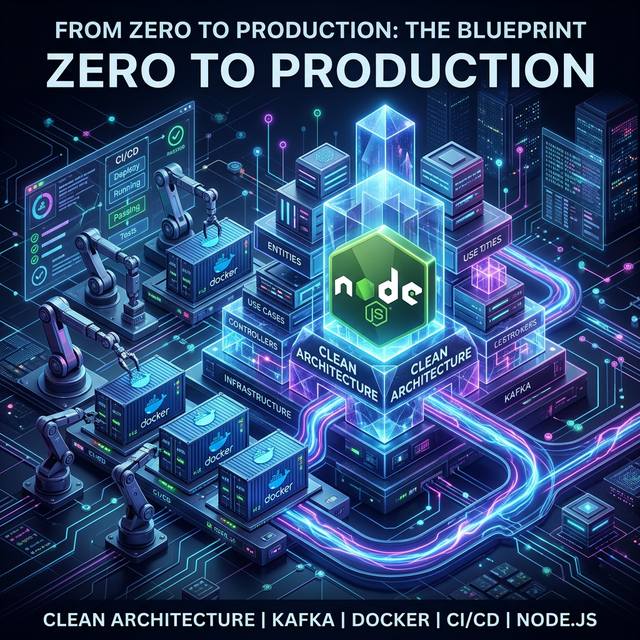
Hãy cùng bắt tay vào làm nhé!
🎯 Mã nguồn "Bấm-Là-Chạy" dành cho bạn: Thay vì copy-paste từng dòng, mình đã đóng gói toàn bộ Source Code của bài viết này thành một Template chuẩn chỉnh trên GitHub
🔗 Repo: paudang/nodejs-clean-rest-kafka
(Bạn chỉ việc
git clone, gõ nhẹdocker-compose up -dvà tận hưởng thành quả nhé!)
Bước 1: Khởi tạo dự án & Cài đặt Dependencies
Trước tiên, chúng ta tạo một thư mục mới cho dự án:
mkdir nodejs-clean-rest-kafka
cd nodejs-clean-rest-kafka
npm init -y
Cài đặt các thư viện cần thiết cho Express, Database, Kafka và Security:
npm install express cors helmet hpp express-rate-limit dotenv morgan kafkajs sequelize mysql2 winston
Cài đặt các gói hỗ trợ phát triển (DevDependencies):
npm install -D typescript @types/node @types/express @types/cors @types/morgan ts-node tsconfig-paths tsc-alias jest ts-jest @types/jest
Khởi tạo file tsconfig.json cho TypeScript và cấu hình Path Alias (@/*):
{
  "compilerOptions": {
    "target": "es2020",
    "module": "commonjs",
    "outDir": "./dist",
    "rootDir": "./src",
    "strict": true,
    "esModuleInterop": true,
    "skipLibCheck": true,
    "baseUrl": ".",
    "paths": {
      "@/*": ["src/*"]
    }
  },
  "include": ["src/**/*"]
}
Bước 2: Xây cấu trúc Clean Architecture chuẩn Senior 🏗️
Với Clean Architecture, chúng ta chia mã nguồn thành các lớp (layers) để đảm bảo tính độc lập và dễ kiểm thử:
mkdir -p src/domain src/usecases src/interfaces src/infrastructure src/utils
- src/domain: Chứa các Entity và Logic nghiệp vụ cốt lõi (không phụ thuộc vào framework).
- src/usecases: Chứa các "Use Case" - nơi thực thi các luồng nghiệp vụ cụ thể.
- src/interfaces: Chứa các "Adapters" như Controllers, Routes (Giao diện với thế giới bên ngoài).
- src/infrastructure: Chứa các chi tiết kỹ thuật như Kết nối Database, Kafka Client, Logger.
- src/utils: Các hàm tiện ích dùng chung.
Cách chia này giúp bạn dễ dàng thay đổi Database (từ MySQL sang MongoDB) hoặc Framework (từ Express sang Fastify) mà không ảnh hưởng đến Logic nghiệp vụ bên trong.
Bước 3: Event-Driven Messaging với Kafka 🚀
Trong kiến trúc Microservices, Kafka là "trái tim" giúp các service giao tiếp bất đồng bộ. Chúng ta sẽ xây dựng một KafkaService sử dụng kỹ thuật Connection Promise để đảm bảo Producer luôn sẵn sàng trước khi gửi tin, tránh lỗi mất tin nhắn khi hệ thống vừa khởi động.
Tại src/infrastructure/messaging/kafkaClient.ts:
import { Kafka, Producer } from 'kafkajs';

export class KafkaService {
    private producer: Producer;
    private isConnected = false;
    private connectionPromise: Promise<void> | null = null;

    constructor() {
        const kafka = new Kafka({ clientId: 'user-service', brokers: ['localhost:9092'] });
        this.producer = kafka.producer();
    }

    // Kỹ thuật "Connection Promise" đảm bảo chỉ kết nối 1 lần duy nhất
    async connect() {
        if (this.connectionPromise) return this.connectionPromise;

        this.connectionPromise = (async () => {
            await this.producer.connect();
            this.isConnected = true;
            console.log('[Kafka] Producer connected successfully');
        })();
        return this.connectionPromise;
    }

    async sendEvent(topic: string, action: string, payload: any) {
        await this.connect(); // Luôn đợi kết nối sẵn sàng
        await this.producer.send({
            topic,
            messages: [{ value: JSON.stringify({ action, payload, ts: new Date() }) }],
        });
        console.log(`[Kafka] Triggered ${action} to ${topic}`);
    }
}

export const kafkaService = new KafkaService();
Bước 3.5: Cấu trúc Consumer chuẩn Clean Architecture 🛠️
Trong một hệ thống thực tế, bạn sẽ có hàng chục loại Event khác nhau. Việc viết code xử lý tản mát sẽ khiến dự án nhanh chóng trở thành "mớ bòng bong". Ở đây, mình áp dụng kỹ thuật Abstract Base Class và Schema Validation để quản lý:
1. BaseConsumer (Lớp cơ sở)
Tại src/interfaces/messaging/baseConsumer.ts, chúng ta định nghĩa một "khuôn mẫu" chung cho mọi Consumer. Nó tự động parse JSON và bắt lỗi, giúp các lớp con chỉ cần tập trung vào xử lý nghiệp vụ:
export abstract class BaseConsumer {
  abstract topic: string;
  abstract handle(data: unknown): Promise<void>;

  async onMessage({ message }: EachMessagePayload) {
      const rawValue = message.value?.toString();
      if (!rawValue) return;
      const data = JSON.parse(rawValue);
      await this.handle(data);
  }
}
2. Schema Validation (Hợp đồng dữ liệu)
Tại src/interfaces/messaging/schemas/userEventSchema.ts, mình dùng Zod để định nghĩa "hợp đồng" dữ liệu giữa Producer và Consumer. Nếu Producer gửi sai định dạng, Consumer sẽ báo lỗi ngay lập tức thay vì chạy sai logic:
export const UserEventSchema = z.object({
  action: z.enum(['USER_CREATED', 'UPDATE_USER', 'DELETE_USER']),
  payload: z.object({
    id: z.union([z.string(), z.number()]),
    email: z.string().email(),
  }),
});
3. WelcomeEmailConsumer (Triển khai thực tế)
Tại src/interfaces/messaging/consumers/instances/welcomeEmailConsumer.ts, đây là nơi xử lý thực sự. Khi nhận được event USER_CREATED, nó sẽ thực hiện logic gửi mail:
export class WelcomeEmailConsumer extends BaseConsumer {
  topic = 'user-topic';

  async handle(data: unknown) {
    const result = UserEventSchema.safeParse(data); // Validate data cực nhanh
    if (result.success && result.data.action === 'USER_CREATED') {
      console.log(`[Kafka] 📧 Đang gửi email chào mừng tới ${result.data.payload.email}...`);
    }
  }
}
Bước 4: Quản lý Database Migration với Flyway
Khi deploy lên Production, việc sửa bảng Database bằng tay là điều cấm kỵ. Flyway giúp chúng ta quản lý phiên bản Database qua file SQL.
Tạo thư mục migration:
mkdir -p flyway/sql
Mẫu file V1__Create_Users_Table.sql:
CREATE TABLE users (
    id INT AUTO_INCREMENT PRIMARY KEY,
    name VARCHAR(255) NOT NULL,
    email VARCHAR(255) NOT NULL UNIQUE,
    created_at TIMESTAMP DEFAULT CURRENT__TIMESTAMP
);
Bước 5: Viết UseCase & Controller (Thực hành User Create)
Đây là nơi "ma thuật" Clean Architecture diễn ra: Tách biệt logic nghiệp vụ khỏi Database.
1. Viết UseCase (Application logic)
Một UseCase tốt chỉ quan tâm đến luồng đi của dữ liệu. Việc lưu vào DB "thực sự" như thế nào sẽ do Repository đảm nhận.
Tại src/usecases/createUser.ts:
import User from '@/domain/entities/User';
import { kafkaService } from '@/infrastructure/messaging/kafkaClient';
// Giả định ta có UserRepository để trừu tượng hóa DB
import { userRepository } from '@/infrastructure/repositories/UserRepository';

export const createUserUseCase = async (name: string, email: string) => {
    // 1. Thực thi nghiệp vụ (Lưu DB)
    const user = await userRepository.save({ name, email });

    // 2. Publish Sự kiện (Messaging)
    await kafkaService.sendEvent('user-events', 'USER_CREATED', { id: user.id, email: user.email });

    return user;
};
2. Viết Controller (Interface Layer)
Nhiệm vụ duy nhất của Controller là nhận Request, gọi UseCase và trả Response. Rất sạch sẽ!
Tại src/interfaces/controllers/userController.ts:
import { Request, Response } from 'express';
import { createUserUseCase } from '@/usecases/createUser';

export const createUser = async (req: Request, res: Response) => {
    try {
        const { name, email } = req.body;
        const user = await createUserUseCase(name, email);
        res.status(201).json(user);
    } catch (err) {
        res.status(500).json({ error: 'Internal Server Error' });
    }
};
Bước 6: Đóng gói Docker & CI/CD chuẩn Pro
1. Dockerfile (Multi-stage build)
Chúng ta tách riêng lớp Build và lớp Production để giảm kích thước Image:
FROM node:22-alpine AS builder
WORKDIR /app
COPY package*.json ./
RUN npm ci
COPY . .
RUN npm run build
FROM node:22-alpine AS production
WORKDIR /app
ENV NODE_ENV=production
ENV NPM_CONFIG_UPDATE_NOTIFIER=false
COPY package*.json ./
RUN npm ci --only=production
COPY /app/dist ./dist
EXPOSE 3000
CMD ["npm", "start"]
2. docker-compose.yml (App + MySQL + Kafka + Flyway)
Cấu hình để tất cả khởi chạy nhịp nhàng chỉ với một lệnh:
services:
  app:
    build: .
    ports:
      - "${PORT:-3000}:3000"
    depends_on:
      - db
      - kafka
    environment:
      - KAFKA_BROKER=kafka:29092
      - KAFKAJS_NO_PARTITIONER_WARNING=1
      - PORT=3000
      - DB_HOST=db
      - DB_USER=root
      - DB_PASSWORD=root
      - DB_NAME=demo
      - DB_PORT=3306
  db:
    image: mysql:8.0
    restart: always
    environment:
      MYSQL_ROOT_PASSWORD: root
      MYSQL_DATABASE: demo
    ports:
      - "${DB_PORT:-3306}:3306"
    volumes:
      - ./flyway/sql:/docker-entrypoint-initdb.d
  flyway:
    image: flyway/flyway
    command: -connectRetries=60 migrate
    volumes:
      - ./flyway/sql:/flyway/sql
    environment:
      FLYWAY_URL: jdbc:mysql://db:3306/demo
      FLYWAY_USER: root
      FLYWAY_PASSWORD: root
    depends_on:
      - db
  zookeeper:
    image: confluentinc/cp-zookeeper:7.4.0
    environment:
      ZOOKEEPER_CLIENT_PORT: 2181
      ZOOKEEPER_TICK_TIME: 2000
    ports:
      - "${ZOOKEEPER_PORT:-2181}:2181"

  kafka:
    image: confluentinc/cp-kafka:7.4.0
    depends_on:
      - zookeeper
    ports:
      - "${KAFKA_PORT:-9092}:9092"
    environment:
      KAFKA_BROKER_ID: 1
      KAFKA_ZOOKEEPER_CONNECT: zookeeper:2181
      KAFKA_ADVERTISED_LISTENERS: PLAINTEXT://kafka:29092,PLAINTEXT_HOST://localhost:9092
      KAFKA_LISTENER_SECURITY_PROTOCOL_MAP: PLAINTEXT:PLAINTEXT,PLAINTEXT_HOST:PLAINTEXT
      KAFKA_INTER_BROKER_LISTENER_NAME: PLAINTEXT
      KAFKA_OFFSETS_TOPIC_REPLICATION_FACTOR: 1
volumes:
  mysql_data:
Điều Bất Ngờ Nhất Ở Cuối Bài... 🤫
Bạn nghĩ bạn đang đọc một bài hướng dẫn build Repo thông thường?
👉 Sự Thật Là: Toàn bộ Base Code Clean Architecture chằng chịt giữa Express, Kafka, Flyway, Docker, Eslint và các workflow GitHub Actions... đều được MỘT TOOL AUTOMATION TẠO RA TRONG CHƯA TỚI 1 PHÚT ĐỒNG HỒ!
Tốc độ phát triển Product là vàng! Nếu bạn muốn chấm dứt chuỗi ngày hì hục setup đi setup lại một cục base code giống hệt nhau, hãy dùng luôn Tool mình đã tối ưu hoá.
Nếu bạn muốn tự động sinh ra một repo "xịn" y hệt (hoặc chọn dùng Clean Architecture, MVC, Caching tùy ý,...), hãy sử dụng Tool này (kèm hướng dẫn cực chi tiết) ngay tại đường link Viblo dưới đây:
Chỉ cần gõ như thế này:
npx nodejs-quickstart-structure init
👉 Bài viết này thuộc Series Node.js Production-Ready. Bạn có thể xem trọn bộ các kỹ thuật chuyên sâu tại đây [Link Series].
Hy vọng bài viết này giúp hành trình "Build Prod" của anh em nhanh hơn bao giờ hết. Đừng quên tặng mình 1 Star ⭐ tại GitHub nếu thấy hữu ích để mình có động lực duy trì dự án nha
All rights reserved
