


Something Feels Off”: A Practical QA Method for 30-Second AI Video Drafts
The message in the review thread is only four words long:
Something feels off.
Nobody is wrong, but nobody knows what to change.
The first part of the clip looks normal. A barista puts a takeaway cup on the counter, turns toward the coffee machine, and reaches for the handle. A few seconds later, the cup has moved to the other hand. The window behind the counter has changed shape, and the lid-click sound arrives before the lid touches the cup.
Watching the video again confirms the feeling. It still does not produce a useful revision note.
For a longer AI video draft, the quickest way forward is often to stop reviewing it as one complete object. Break it into short time ranges, give each problem a simple label, and decide whether the next step is an edit, a timeline fix, or another generation.
The method below is an illustrative review workflow. It is not a controlled model comparison and does not claim that the same prompt will produce the same result across tools, settings, or source materials.
Replace “Looks Wrong” With a Location
A score such as 7/10 is easy to write, but it hides the part that needs work.
These two problems should not receive the same revision:
- A café menu changes color for one second.
- The barista turns in the wrong direction and breaks the rest of the scene.
The first may be an isolated visual issue. The second affects the action that follows.
A basic review table is more useful:
| Time | What should happen | What needs attention |
|---|---|---|
| 0–5s | Barista places the cup down | Pass |
| 5–11s | Camera follows the turn | Direction is unclear |
| 11–18s | Coffee is poured | Cup changes hands |
| 18–24s | Lid is added | Background window changes |
| 24–30s | Cup is handed over | Sound cue starts early |
This does not need to become a formal production document. Its job is simply to replace “something feels off” with “the cup changes hands at eleven seconds.”
Keep the Labels Small
Too many categories create another problem: reviewers spend more time choosing labels than watching the clip.
A short list is enough:
pass: No meaningful problem foundreview: Uncertain and worth checking againcontinuity_fail: A subject, object, costume, or location changes unexpectedlymotion_fail: Movement has the wrong direction, speed, weight, or timingframing_fail: The camera position or composition misses the briefaudio_fail: Dialogue, music, or a sound effect appears at the wrong momenttext_fail: On-screen text is incorrect or unstableaccuracy_check: A factual or instructional detail needs verificationrights_check: A source file or output needs a permission review
The names can be changed to fit the team. What matters is that “motion fail” means the same thing in draft two and draft seven.
Put the Review in a File
Here is a compact YAML example:
schema_version: 1
example_only: true

clip_id: coffee-draft-03
duration: 30s
purpose: concept_preview

source_material:
  images: 3
  videos: 0
  audio: 1
  rights_status: review_required

segments:
  - time: 0-5s
    result: pass
    note: "Cup is placed on the counter as planned."

  - time: 5-11s
    result: motion_fail
    element: camera
    note: "The turn is difficult to follow."

  - time: 11-18s
    result: continuity_fail
    element: cup
    note: "Cup moves to the other hand without a handover."

  - time: 18-24s
    result: continuity_fail
    element: window
    note: "Window shape changes behind the counter."

  - time: 24-30s
    result: audio_fail
    element: lid_click
    note: "Sound begins before visible contact."

next_action: review_each_issue
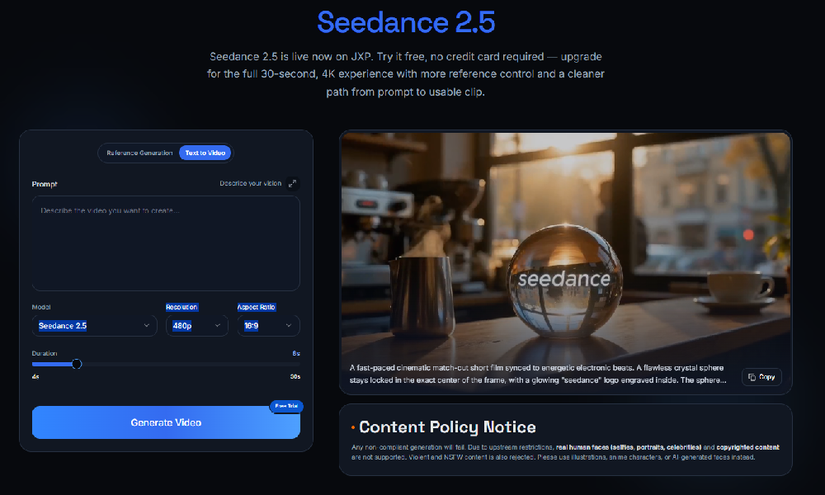
The example is framed around Seedance 2.5 on JXP, but nothing in the file depends on one model. The same structure can be used with other generation tools or with footage assembled in a conventional editor.
YAML is not required. A spreadsheet with five columns works just as well:
time | element | problem | proposed change | status
Use whichever format the team will actually update.
Watch for One Thing at a Time
It is difficult to judge continuity, camera motion, audio, text, and publication risk in one viewing.
A simpler approach is to watch the same draft in separate passes:
| Pass | Focus | Everyday example |
|---|---|---|
| Visual continuity | Subjects, props, clothing, and background | The cup changes hands or the menu moves |
| Motion | Action direction, camera path, and physical contact | The barista reaches through the machine |
| Audio and text | Timing, wording, captions, and sound cues | The lid sound plays before the lid closes |
| Publication review | Accuracy, permissions, and context | A synthetic café is presented as a real location |
During each pass, note the first moment where the problem appears. A mistake at eleven seconds may cause several later issues. Recording every symptom can make one broken action look like five unrelated failures.
Decide What Kind of Fix It Needs
Not every problem deserves another generation.
Try a local edit
A local correction may be reasonable when one specific visual element is wrong:
- The menu color changes
- A background plant disappears
- A package label is incorrect
- A small prop appears in the wrong place
Treat this as a correction attempt, not a promise that the surrounding frames will stay identical. After the change, watch the full clip again. Motion, lighting, composition, or nearby objects may also shift.
Move to an external editor
A conventional timeline is often the simpler answer when the footage works but the assembly does not.
Examples include:
- The lid sound is half a second early
- The opening needs to be shorter
- A caption needs replacing
- Two usable sections need reordering
- The final file needs a different delivery format
Generating the scene again to fix a basic timing issue can introduce new visual problems.
Generate another draft
A new generation is usually more practical when the structure itself has broken:
- The main action is wrong
- The camera moves in the opposite direction
- The scene order no longer makes sense
- The subject changes across several moments
- Multiple connected objects behave incorrectly
For example, if the barista turns left instead of right and every later action depends on that turn, repairing the cup, window, and camera separately may not solve the real problem.
Keep a Short Record of Each Attempt
A folder full of prompts named final, final-2, and final-really does not explain what improved.
A small log does:
prompt_version: v6

changed:
  - "Reduced camera movement"
  - "Assigned one main action to each time range"

improved:
  - "Barista direction is easier to follow"

unchanged:
  - "Lid sound still begins early"

new_problem:
  - "Window shape changes at 18s"

next_step:
  - "Keep the visual instructions"
  - "Move the lid sound in the editor"
This takes less than a minute to update. After several drafts, it shows which changes helped and which ones only moved the problem somewhere else.
Four Questions Before Publishing
A clean-looking result is not automatically ready to publish. Before exporting, answer four questions:
-
Can these files be uploaded for this purpose? Confirm that the relevant rights cover external AI processing, derivative use, and the planned publication or promotional reuse. Do not upload confidential client material simply because it is available to the team.
-
Does the current access point allow these references? Check the latest rules before uploading faces, voices, logos, copyrighted material, or other protected content. Product rules and supported inputs can change.
-
Could viewers mistake the result for a real person, place, or event? If so, the surrounding context should make the synthetic or illustrative nature clear.
-
Does the clip appear to prove something? Generated footage should not be treated as evidence of product performance, a real event, factual history, or a safe way to perform a physical task. Verify important claims outside the video.
These checks do not belong only at the end. If a reference fails the first question, it should not enter the workflow in the first place.
A small review file will not prevent every odd frame. It does something more practical: it stops the team from changing the whole prompt when only one part is broken.
And the next time someone writes “something feels off,” there is a better reply:
Which second?
All rights reserved
