
[Series 100 Bài Học HTML/CSS Thực Chiến - Bài 77]: Xây Dựng Màn Hình "Quản Lý Chiến Dịch Quảng Cáo Shopee Ads" (Seller Ads Manager) Với Thẻ Ngân Sách, Chỉ Số ROAS & Bảng Từ Khóa Đấu Thầu Bằng CSS Thuần
Chào mừng anh em đã bước sang Bài 77 trong chuỗi 100 Bài Học Làm Chủ HTML/CSS Qua Dự Án Clone Shopee!
Ở Bài 76, chúng ta đã hoàn thành Giao Diện Săn Deal 1Đ / Đấu Giá Ngược với thanh năng lượng sọc chéo và bảng xếp hạng trực tiếp bằng :has(). Hôm nay, chúng ta sẽ quay trở lại Chương 13 (Kênh Người Bán) để xây dựng một màn hình tăng trưởng doanh thu cực kỳ chuyên sâu của giới kinh doanh sàn Thương mại điện tử: Màn Hình "Quản Lý Chiến Dịch Quảng Cáo Shopee Ads" (Seller Ads Manager)!
Khi chủ Shop chạy quảng cáo tìm kiếm cho dòng sản phẩm chủ lực (AULA F75 Pro), mỗi cú click đều tốn ngân sách thực. Do đó, giao diện Shopee Ads phải làm nổi bật ngay lập tức 3 nhóm thông tin sống còn: Số dư tài khoản quảng cáo, Hiệu quả hoàn vốn (ROAS — Return On Ad Spend) và Bảng từ khóa đấu thầu. Trong Bài 77, chúng ta sẽ chinh phục 3 kỹ thuật CSS thực chiến:
-
Thẻ Ngân Sách Quảng Cáo & Thanh Tiến Độ Chi Tiêu Ngày: Hiển thị số dư khả dụng (
₫3.450.000), nút "Nạp Tiền" nổi bật và thanh tiến trình chi tiêu hôm nay (₫340.000 / ₫500.000 — 68%). -
Lưới 4 Chỉ Số Hiệu Suất (
KPI Strip) Với Điểm NhấnROAS: Phân tách rõ Lượt xem, Lượt click (CTR), Chi phí và đặc biệt là chỉ sốROAS 8.4xmàu Xanh Ngọc (#00bfa5) kèm chữ số thẳng hàngtabular-nums. -
Bảng Từ Khóa Đấu Thầu Tương Tác Bật/Tắt Trực Tiếp Bằng
:has(): Tái sử dụng công tắc gạt.seller-switch(Bài 53) ngay trong từng dòng từ khóa ("bàn phím cơ aula f75", "bàn phím không dây 3 mode"...). Khi bạn gạt tắt công tắc của một từ khóa, toàn bộ dòng đó lập tức mờ đi (opacity: 0.58) và nhãn trạng thái tự động đổi từ "Đang chạy" sang "Tạm dừng" hoàn toàn không cần JavaScript!
1. Giải phẫu Màn Hình "Quảng Cáo Shopee Ads" (Seller Ads Manager)
Hãy quan sát giao diện thực tế của bảng chỉ số Quảng Cáo Shopee Ads trong Kênh Người Bán — nơi tập trung các thông số lượt xem, lượt click, chi phí, doanh thu và chỉ số ROAS để chủ Shop ra quyết định tối ưu giá thầu:
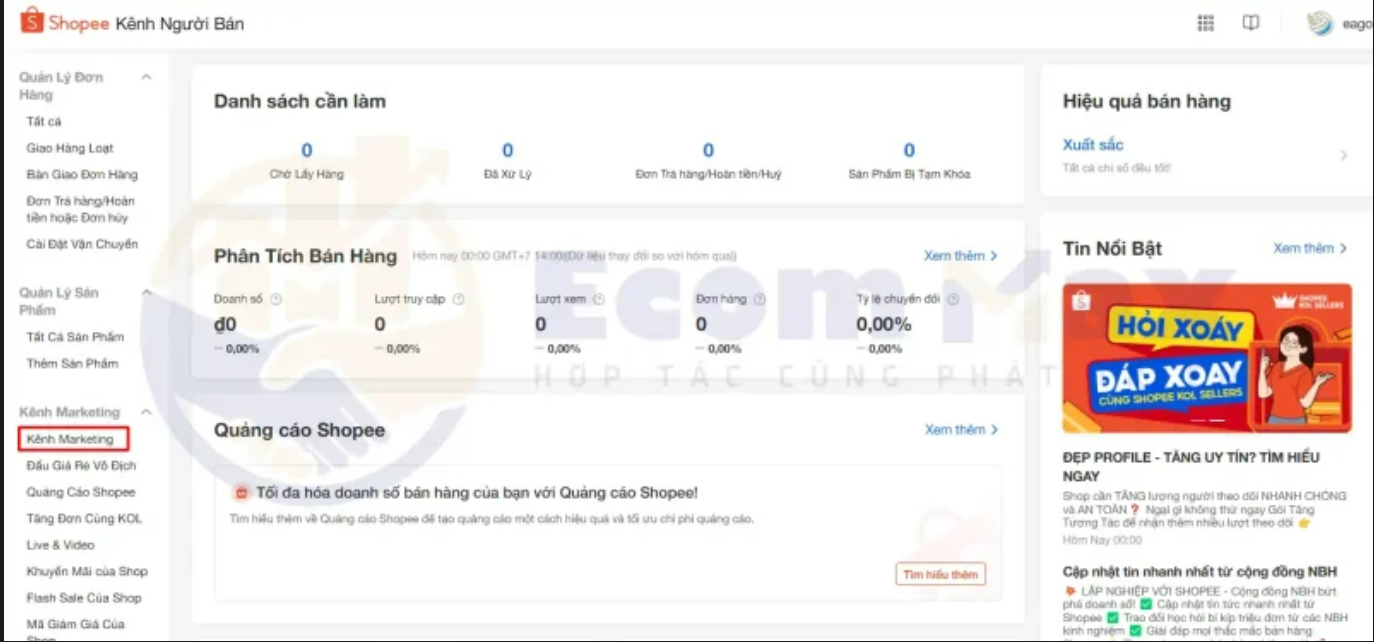
Toàn bộ màn hình .seller-ads-card bên trong .seller-workspace được chia thành 3 tầng phân tích mạch lạc, tương thích 100% với Dark Mode (Bài 55):
Plaintext
+-----------------------------------------------------------------------------------+
|  QUẢNG CÁO SHOPEE ADS              Tài khoản QC: ₫3.450.000     [ + Nạp Tiền ]    | <-- 1. Header & Ngân sách
|  Chi tiêu hôm nay: ₫340.000 / ₫500.000  [██████████████░░░░░░] 68%                |
+-----------------------------------------------------------------------------------+
|  [ Lượt xem: 48,2k ]  [ Lượt click: 1.840 ]  [ Chi phí: ₫1.420k ]  [ ROAS: 8.4x ] | <-- 2. 4 Thẻ KPI nổi bật
+-----------------------------------------------------------------------------------+
|  BẢNG TỪ KHÓA ĐẤU THẦU (AULA F75 Pro)    [ Tất cả ]  [ Mở rộng ]  [ Chính xác ]   | <-- 3. Bộ lọc & Bảng từ khóa
|  -------------------------------------------------------------------------------  |
|  Bật/Tắt | Từ khóa & Kiểu khớp     | Giá thầu  | Lượt click | CTR   | ROAS        |
|  (===⚪)  | bàn phím cơ aula f75    | ₫1.200    | 642        | 4,8%  | 11.2x (Tốt) |
|          | [Chính xác] · Đang chạy |           |            |       |             |
|  (⚪===)  | bàn phím gaming giá rẻ  | ₫650      | 118        | 1,4%  | 2.1x (Thấp) | <-- Gạt tắt -> Tự mờ dòng!
|          | [Mở rộng]  · Tạm dừng   |           |            |       |             |
+-----------------------------------------------------------------------------------+
| Kỹ thuật CSS trong Bài 77 | Khai báo cốt lõi | Tác dụng thực chiến |
|---|---|---|
| Tự động làm mờ dòng & đổi nhãn khi tắt từ khóa ( :has()) |
.ads-kw-row:has(.ads-kw-switch:not(:checked)) { opacity: 0.56; } |
Không cần JavaScript! Khi chủ Shop gạt tắt công tắc của một từ khóa đang chạy lỗ (ROAS thấp), cả dòng tự động mờ đi và nhãn "Đang chạy" chuyển sang "Tạm dừng" tức thì! |
| Lọc từ khóa theo Kiểu Khớp (Chính xác / Mở rộng) |
#ads-match-exact:checked ~ .ads-table-wrap .ads-kw-row:not(.ads-kw--exact) { display: none; } |
Giúp chủ Shop tách nhanh nhóm từ khóa Khớp Chính Xác (chuyển đổi cao) khỏi nhóm Khớp Mở Rộng (phủ rộng). |
| Phân cấp màu chỉ số ROAS ( --good / --warn / --bad) |
Xanh Ngọc (#00bfa5) cho ROAS trên 8x, Vàng Cam (#f59e0b) cho 4x–7x, Đỏ (#ff424f) cho dưới 3x |
Nhìn lướt qua cột bên phải là biết ngay từ khóa nào đang "in tiền" và từ khóa nào cần tắt gấp! |
2. Thực hành: Code Màn Hình "Quảng Cáo Shopee Ads" (index.html & main.css)
Bước 1: Bổ sung HTML Khối Quảng Cáo Shopee Ads (.seller-ads-card) vào index.html
Hãy mở file index.html, tìm đến bên trong <div class="seller-workspace"> của Chương 13 (Kênh Người Bán) (ngay bên dưới khối .seller-voucher-creator-card của Bài 69) và chèn toàn bộ cấu trúc Bài 77: Quản Lý Chiến Dịch Quảng Cáo Shopee Ads dưới đây:
HTML
<!-- ========================================================= -->
<!-- BÀI 77: QUẢN LÝ QUẢNG CÁO SHOPEE ADS (SELLER ADS MANAGER) -->
<!-- ========================================================= -->
<div class="seller-card seller-ads-card">
<!-- Hệ thống 3 nút Radio lọc kiểu khớp từ khóa -->
<input type="radio" name="ads-match-filter" id="ads-match-all" class="ads-ctrl-input" checked>
<input type="radio" name="ads-match-filter" id="ads-match-exact" class="ads-ctrl-input">
<input type="radio" name="ads-match-filter" id="ads-match-broad" class="ads-ctrl-input">
<!-- 1. Header & Thẻ Ngân Sách Quảng Cáo -->
<div class="seller-card__header seller-card__header--row">
<div>
<h3 class="seller-card__title">Quản Lý Quảng Cáo Shopee Ads</h3>
<p class="seller-card__subtitle">Chiến dịch: <strong>Tìm Kiếm Sản Phẩm — Bàn Phím Cơ AULA F75 Pro</strong> (7 ngày qua)</p>
</div>
<button type="button" class="btn btn--primary ads-topup-btn">
<i class="fa-solid fa-plus"></i> Nạp Tiền Quảng Cáo
</button>
</div>
<!-- Dải Thẻ Ngân Sách & Tiến Độ Chi Tiêu Ngày -->
<div class="ads-budget-bar">
<div class="ads-budget__balance">
<span class="ads-budget-label">Số dư Tài khoản Quảng cáo</span>
<strong class="ads-budget-value">₫3.450.000</strong>
</div>
<div class="ads-budget__daily">
<div class="ads-daily-top">
<span>Ngân sách chi tiêu hôm nay: <strong>₫340.000</strong> / ₫500.000</span>
<strong class="ads-daily-pct">68%</strong>
</div>
<div class="ads-daily-track">
<div class="ads-daily-fill" style="width: 68%;"></div>
</div>
</div>
</div>
<!-- 2. LƯỚI 4 CHỈ SỐ HIỆU SUẤT (KPI STRIP + ROAS NỔI BẬT) -->
<div class="ads-kpi-grid">
<div class="ads-kpi-box">
<span class="ads-kpi__label">Lượt xem quảng cáo</span>
<strong class="ads-kpi__val">48.240</strong>
<span class="ads-kpi__trend ads-trend--up"><i class="fa-solid fa-caret-up"></i> +14,2%</span>
</div>
<div class="ads-kpi-box">
<span class="ads-kpi__label">Lượt click (CTR 3,8%)</span>
<strong class="ads-kpi__val">1.840</strong>
<span class="ads-kpi__trend ads-trend--up"><i class="fa-solid fa-caret-up"></i> +9,6%</span>
</div>
<div class="ads-kpi-box">
<span class="ads-kpi__label">Chi phí quảng cáo</span>
<strong class="ads-kpi__val">₫1.420.000</strong>
<span class="ads-kpi__trend">CPC TB: ₫771</span>
</div>
<!-- Thẻ ROAS nổi bật nhất -->
<div class="ads-kpi-box ads-kpi-box--roas">
<span class="ads-kpi__label">Hiệu quả hoàn vốn (ROAS)</span>
<strong class="ads-kpi__val ads-kpi__val--roas">8.4x</strong>
<span class="ads-kpi__trend ads-trend--up">Doanh thu: ₫11.928.000</span>
</div>
</div>
<!-- 3. THANH LỌC & BẢNG TỪ KHÓA ĐẤU THẦU -->
<div class="ads-table-header">
<h4 class="ads-table-title">Bảng Từ Khóa Đấu Thầu (4 từ khóa)</h4>
<div class="ads-match-tabs" role="tablist" aria-label="Lọc theo kiểu khớp từ khóa">
<label for="ads-match-all" class="ads-match-tab">Tất cả (4)</label>
<label for="ads-match-exact" class="ads-match-tab">Khớp chính xác</label>
<label for="ads-match-broad" class="ads-match-tab">Khớp mở rộng</label>
</div>
</div>
<div class="inv-table-wrapper ads-table-wrap">
<table class="ads-kw-table">
<thead>
<tr>
<th>Trạng thái</th>
<th>Từ khóa đấu thầu</th>
<th class="ads-col-num">Giá thầu / Click</th>
<th class="ads-col-num">Lượt click</th>
<th class="ads-col-num">Tỷ lệ CTR</th>
<th class="ads-col-num">ROAS</th>
</tr>
</thead>
<tbody>
<!-- Từ khóa 1: Khớp chính xác - Đang chạy (ROAS 11.2x cực tốt) -->
<tr class="ads-kw-row ads-kw--exact">
<td>
<label class="seller-switch" title="Bật / Tắt từ khóa này">
<input type="checkbox" class="seller-switch__input ads-kw-switch" checked>
<span class="seller-switch__slider"></span>
</label>
</td>
<td>
<strong class="ads-kw-text">bàn phím cơ aula f75 pro</strong>
<div class="ads-kw-meta">
<span class="ads-match-badge ads-match-badge--exact">Chính xác</span>
<span class="ads-state-text ads-state--on">● Đang chạy</span>
<span class="ads-state-text ads-state--off">● Tạm dừng</span>
</div>
</td>
<td class="ads-col-num">₫1.200</td>
<td class="ads-col-num">642</td>
<td class="ads-col-num">4,8%</td>
<td class="ads-col-num"><span class="ads-roas-pill ads-roas--good">11.2x</span></td>
</tr>
<!-- Từ khóa 2: Khớp mở rộng - Đang chạy (ROAS 8.6x tốt) -->
<tr class="ads-kw-row ads-kw--broad">
<td>
<label class="seller-switch" title="Bật / Tắt từ khóa này">
<input type="checkbox" class="seller-switch__input ads-kw-switch" checked>
<span class="seller-switch__slider"></span>
</label>
</td>
<td>
<strong class="ads-kw-text">bàn phím cơ không dây 3 mode</strong>
<div class="ads-kw-meta">
<span class="ads-match-badge ads-match-badge--broad">Mở rộng</span>
<span class="ads-state-text ads-state--on">● Đang chạy</span>
<span class="ads-state-text ads-state--off">● Tạm dừng</span>
</div>
</td>
<td class="ads-col-num">₫950</td>
<td class="ads-col-num">518</td>
<td class="ads-col-num">3,6%</td>
<td class="ads-col-num"><span class="ads-roas-pill ads-roas--good">8.6x</span></td>
</tr>
<!-- Từ khóa 3: Khớp chính xác - Đang chạy (ROAS 5.4x trung bình) -->
<tr class="ads-kw-row ads-kw--exact">
<td>
<label class="seller-switch" title="Bật / Tắt từ khóa này">
<input type="checkbox" class="seller-switch__input ads-kw-switch" checked>
<span class="seller-switch__slider"></span>
</label>
</td>
<td>
<strong class="ads-kw-text">bàn phím cơ hotswap mạch xuôi</strong>
<div class="ads-kw-meta">
<span class="ads-match-badge ads-match-badge--exact">Chính xác</span>
<span class="ads-state-text ads-state--on">● Đang chạy</span>
<span class="ads-state-text ads-state--off">● Tạm dừng</span>
</div>
</td>
<td class="ads-col-num">₫850</td>
<td class="ads-col-num">294</td>
<td class="ads-col-num">2,9%</td>
<td class="ads-col-num"><span class="ads-roas-pill ads-roas--warn">5.4x</span></td>
</tr>
<!-- Từ khóa 4: Khớp mở rộng - Mặc định Tạm dừng (ROAS 2.1x thấp) -->
<tr class="ads-kw-row ads-kw--broad">
<td>
<label class="seller-switch" title="Bật / Tắt từ khóa này">
<input type="checkbox" class="seller-switch__input ads-kw-switch">
<span class="seller-switch__slider"></span>
</label>
</td>
<td>
<strong class="ads-kw-text">bàn phím gaming giá rẻ</strong>
<div class="ads-kw-meta">
<span class="ads-match-badge ads-match-badge--broad">Mở rộng</span>
<span class="ads-state-text ads-state--on">● Đang chạy</span>
<span class="ads-state-text ads-state--off">● Tạm dừng</span>
</div>
</td>
<td class="ads-col-num">₫650</td>
<td class="ads-col-num">118</td>
<td class="ads-col-num">1,4%</td>
<td class="ads-col-num"><span class="ads-roas-pill ads-roas--bad">2.1x</span></td>
</tr>
</tbody>
</table>
</div>
</div>
Bước 2: Viết CSS cho Seller Ads Manager & Trạng Thái Từ Khóa :has() trong ./assets/css/main.css
Hãy mở file main.css, cuộn xuống dưới cùng và bổ sung đoạn code CSS của Bài 77 dưới đây:
CSS
/* Bổ sung vào cuối file ./assets/css/main.css */

/* --- BÀI 77: QUẢN LÝ QUẢNG CÁO SHOPEE ADS (SELLER ADS MANAGER) --- */

.ads-ctrl-input {
    display: none;
}

.ads-topup-btn {
    height: 3.6rem;
    padding: 0 1.6rem;
    font-size: 1.35rem;
    gap: 0.6rem;
}

/* 1. Dải Thẻ Ngân Sách & Tiến Độ Chi Tiêu Ngày */
.ads-budget-bar {
    background-color: var(--bg-soft-accent, #fffbf8);
    border: 1px solid var(--border-subtle, rgba(238, 77, 45, 0.2));
    border-radius: 6px;
    padding: 1.6rem 2rem;
    margin-bottom: 2rem;
    display: grid;
    grid-template-columns: 24rem 1fr;
    gap: 2.4rem;
    align-items: center;
}

.ads-budget__balance {
    padding-right: 2rem;
    border-right: 1px dashed var(--border-subtle, rgba(0, 0, 0, 0.12));
}

.ads-budget-label {
    display: block;
    font-size: 1.25rem;
    color: var(--text-secondary);
    margin-bottom: 0.4rem;
}

.ads-budget-value {
    font-size: 2.4rem;
    font-weight: 700;
    color: var(--shopee-primary);
    font-variant-numeric: tabular-nums;
}

.ads-daily-top {
    display: flex;
    justify-content: space-between;
    align-items: baseline;
    font-size: 1.3rem;
    color: var(--text-secondary);
    margin-bottom: 0.8rem;
}

.ads-daily-top strong {
    color: var(--text-primary);
}

.ads-daily-pct {
    color: var(--shopee-primary) !important;
}

.ads-daily-track {
    width: 100%;
    height: 0.8rem;
    background-color: var(--border-subtle, #e8e8e8);
    border-radius: 1rem;
    overflow: hidden;
}

.ads-daily-fill {
    height: 100%;
    background-image: linear-gradient(90deg, #ff7337 0%, var(--shopee-primary) 100%);
    border-radius: 1rem;
}

/* 2. Lưới 4 Thẻ KPI Hiệu Suất + ROAS Nổi Bật */
.ads-kpi-grid {
    display: grid;
    grid-template-columns: repeat(4, 1fr);
    gap: 1.4rem;
    margin-bottom: 2.4rem;
}

.ads-kpi-box {
    background-color: var(--bg-elevated, #fafafa);
    border: 1px solid var(--border-subtle, rgba(0, 0, 0, 0.06));
    border-radius: 6px;
    padding: 1.4rem 1.6rem;
}

.ads-kpi-box--roas {
    border-color: rgba(0, 191, 165, 0.45);
    background-color: rgba(0, 191, 165, 0.06);
}

.ads-kpi__label {
    display: block;
    font-size: 1.25rem;
    color: var(--text-secondary);
    margin-bottom: 0.6rem;
}

.ads-kpi__val {
    display: block;
    font-size: 2.2rem;
    font-weight: 700;
    color: var(--text-primary);
    margin-bottom: 0.4rem;
    font-variant-numeric: tabular-nums;
}

.ads-kpi__val--roas {
    color: #00bfa5;
}

.ads-kpi__trend {
    font-size: 1.2rem;
    color: var(--text-secondary);
}

.ads-trend--up {
    color: #00bfa5;
    font-weight: 600;
}

/* 3. Thanh Lọc & Bảng Từ Khóa Đấu Thầu */
.ads-table-header {
    display: flex;
    align-items: center;
    justify-content: space-between;
    flex-wrap: wrap;
    gap: 1.2rem;
    margin-bottom: 1.4rem;
}

.ads-table-title {
    font-size: 1.55rem;
    font-weight: 600;
    color: var(--text-primary);
}

.ads-match-tabs {
    display: flex;
    gap: 0.8rem;
}

.ads-match-tab {
    padding: 0.5rem 1.4rem;
    border-radius: 2rem;
    border: 1px solid var(--border-subtle, #dcdcdc);
    font-size: 1.3rem;
    color: var(--text-primary);
    cursor: pointer;
    user-select: none;
    transition: all 0.15s ease;
}

#ads-match-all:checked ~ .ads-table-header label[for="ads-match-all"],
#ads-match-exact:checked ~ .ads-table-header label[for="ads-match-exact"],
#ads-match-broad:checked ~ .ads-table-header label[for="ads-match-broad"] {
    background-color: var(--shopee-primary);
    border-color: var(--shopee-primary);
    color: #ffffff;
    font-weight: 500;
}

/* Lọc dòng từ khóa theo kiểu khớp bằng CSS thuần */
#ads-match-exact:checked ~ .ads-table-wrap .ads-kw-row:not(.ads-kw--exact),
#ads-match-broad:checked ~ .ads-table-wrap .ads-kw-row:not(.ads-kw--broad) {
    display: none;
}

.ads-kw-table {
    width: 100%;
    min-width: 68rem;
    border-collapse: collapse;
    text-align: left;
}

.ads-kw-table th {
    background-color: var(--bg-elevated, #f6f6f6);
    padding: 1.2rem 1.4rem;
    font-size: 1.3rem;
    font-weight: 500;
    color: var(--text-secondary);
    border-bottom: 1px solid var(--border-subtle, #eeeeee);
}

.ads-kw-table td {
    padding: 1.4rem;
    font-size: 1.35rem;
    color: var(--text-primary);
    border-bottom: 1px solid var(--border-subtle, #f0f0f0);
    vertical-align: middle;
}

.ads-kw-row {
    transition: opacity 0.2s ease, background-color 0.15s ease;
}

.ads-kw-row:hover td {
    background-color: rgba(238, 77, 45, 0.025);
}

.ads-col-num {
    text-align: right !important;
    font-variant-numeric: tabular-nums;
    white-space: nowrap;
}

.ads-kw-text {
    display: block;
    font-size: 1.4rem;
    font-weight: 600;
    margin-bottom: 0.4rem;
}

.ads-kw-meta {
    display: flex;
    align-items: center;
    gap: 0.8rem;
}

.ads-match-badge {
    font-size: 1.1rem;
    font-weight: 600;
    padding: 0.15rem 0.7rem;
    border-radius: 2px;
}

.ads-match-badge--exact { background-color: #ebf3ff; color: #2673dd; }
.ads-match-badge--broad { background-color: #fff4e5; color: #d97706; }

/* Nhãn trạng thái Đang chạy <-> Tạm dừng điều khiển bởi :has()! */
.ads-state-text {
    font-size: 1.2rem;
    font-weight: 500;
}

.ads-state--on  { color: #00bfa5; }
.ads-state--off { color: #999999; display: none; }

/* BÍ THUẬT :HAS() — KHI GẠT TẮT CÔNG TẮC TỪ KHÓA -> MỜ DÒNG & ĐỔI NHÃN TẠM DỪNG! */
.ads-kw-row:has(.ads-kw-switch:not(:checked)) {
    opacity: 0.56;
}

.ads-kw-row:has(.ads-kw-switch:not(:checked)) .ads-state--on {
    display: none;
}

.ads-kw-row:has(.ads-kw-switch:not(:checked)) .ads-state--off {
    display: inline;
}

/* Nhãn màu phân cấp chỉ số ROAS */
.ads-roas-pill {
    display: inline-block;
    font-weight: 700;
    padding: 0.25rem 0.9rem;
    border-radius: 2rem;
    font-size: 1.3rem;
}

.ads-roas--good { background-color: rgba(0, 191, 165, 0.14); color: #00bfa5; }
.ads-roas--warn { background-color: rgba(245, 158, 11, 0.14); color: #d97706; }
.ads-roas--bad  { background-color: rgba(255, 66, 79, 0.14); color: #ff424f; }
Bước 3: Bổ sung quy tắc Responsive cho Màn Hình Shopee Ads trong ./assets/css/responsive.css
Trên màn hình Tablet (<= 1023px) và Điện thoại (<= 739px), chúng ta chuyển dải ngân sách sang xếp dọc và hạ lưới 4 thẻ KPI xuống 2 cột:
CSS
/* Bổ sung vào cuối khối @media (max-width: 1023px) trong ./assets/css/responsive.css */
    .ads-budget-bar {
        grid-template-columns: 1fr;
        gap: 1.4rem;
    }

    .ads-budget__balance {
        padding-right: 0;
        padding-bottom: 1.2rem;
        border-right: none;
        border-bottom: 1px dashed var(--border-subtle, rgba(0, 0, 0, 0.12));
    }

    .ads-kpi-grid {
        grid-template-columns: repeat(2, 1fr);
    }
3. Giải mã dòng code: 3 Điểm sáng Kỹ thuật trong Bài 77
-
Bật/Tắt từng dòng từ khóa độc lập bằng
.ads-kw-row:has(.ads-kw-switch:not(:checked)):- Thay vì phải gắn ID riêng cho từng dòng từ khóa, chỉ cần 1 quy tắc
:has()duy nhất áp dụng cho mọi thẻ<tr>mang class.ads-kw-row. Gạt tắt dòng nào thì đúng dòng đó mờ xuốngopacity: 0.56và nhãn tự đổi sang● Tạm dừng!
- Thay vì phải gắn ID riêng cho từng dòng từ khóa, chỉ cần 1 quy tắc
-
Căn thẳng cột số liệu tài chính bằng
font-variant-numeric: tabular-nums:- Các cột Giá thầu, Lượt click, CTR và ROAS đều căn lề phải (
text-align: right) và dùngtabular-nums, giúp chủ Shop so sánh độ lớn con số theo chiều dọc cực kỳ nhanh.
- Các cột Giá thầu, Lượt click, CTR và ROAS đều căn lề phải (
-
Tái sử dụng trọn vẹn hệ thống Component của dự án:
- Tái dùng
.seller-switch(Bài 53) cho công tắc bật/tắt từ khóa và.inv-table-wrapper(Bài 53) cho khung cuộn ngang bảng trên Mobile — giữ cho file CSS gọn gàng và nhất quán.
- Tái dùng
4. Bài tập trải nghiệm thực tế & Hẹn gặp ở Bài 78!
Hãy lưu lại toàn bộ các file (index.html, main.css, responsive.css) và nhấn F5 trên trình duyệt!
-
Cuộn tới khu vực Quản Lý Quảng Cáo Shopee Ads (Bài 77) trong Kênh Người Bán:
-
Thử bấm gạt tắt công tắc của từ khóa "bàn phím cơ hotswap mạch xuôi" (hoặc bật lại từ khóa "bàn phím gaming giá rẻ"): Toàn bộ dòng từ khóa sẽ lập tức đổi độ mờ và cập nhật trạng thái
● Đang chạy● Tạm dừng! -
Thử bấm qua lại giữa 3 tab Tất cả | Khớp chính xác | Khớp mở rộng để lọc bảng từ khóa đấu thầu!
-
Ở Bài 78, chúng ta sẽ mở rộng sang một hệ sinh thái cực kỳ sôi động khác trong siêu ứng dụng Shopee: Khu Vực "ShopeeFood — Đặt Đồ Ăn Giao Nhanh" (Food Delivery Grid) với thẻ quán ăn, khoảng cách km, thời gian giao dự kiến và nhãn "Quán Đối Tác" nổi bật!
All rights reserved