
[Series 100 Bài Học HTML/CSS Thực Chiến - Bài 75]: Cột Mốc 75/100 — Xây Dựng Cửa Sổ "Khảo Sát Mức Độ Hài Lòng" (NPS Rating 1–10 & Emoji Feedback Modal) Bằng CSS Thuần
Chào mừng anh em chính thức chạm tới cột mốc Bài 75 (75/100 bài học — 3/4 chặng đường!) trong chuỗi 100 Bài Học Làm Chủ HTML/CSS Qua Dự Án Clone Shopee!
Ở Bài 74, chúng ta đã hoàn thành khu vực Shopee Mall — Cổng Thương Hiệu Chính Hãng với hiệu ứng Lật Thẻ 3D (3D Flip Card). Để đánh dấu cột mốc 75% chặng đường, hôm nay chúng ta sẽ xây dựng một thành phần đo lường trải nghiệm khách hàng chuẩn quốc tế có mặt trên mọi sàn Thương mại điện tử lớn: Cửa Sổ "Khảo Sát Mức Độ Hài Lòng" (NPS Rating 1–10 & Emoji Feedback Modal)!
NPS (Net Promoter Score) là chỉ số vàng đo lường mức độ sẵn sàng giới thiệu Shopee tới bạn bè theo thang điểm từ 1 đến 10. Trong Bài 75, chúng ta sẽ làm chủ 4 kỹ thuật CSS :has() cực kỳ ấn tượng mà không cần viết một dòng JavaScript nào:
-
Thang Điểm NPS 1–10 Phân Màu Ngữ Nghĩa (
Detractors / Passives / Promoters): Chọn điểm 1–6 bật màu Đỏ cảnh báo (#ff424f), chọn 7–8 bật màu Vàng Cam (#f59e0b), và chọn 9–10 bật màu Xanh Ngọc (#00bfa5)! -
Phản Hồi Emoji & Câu Hỏi Động Theo Điểm Số (
Dynamic Emoji Reactionbằng:has()): Ngay khi bạn bấm chọn một con số trên thang 1–10, biểu tượng Emoji lớn ở trên đỉnh lập tức đổi biểu cảm kèm câu hỏi gợi ý tương ứng (😞 Rất tiếc... 🙂 Cảm ơn bạn... 🤩 Tuyệt vời!). -
Thẻ Lý Do Chọn Nhiều (
Multi-Select Feedback Chips): Cho phép người dùng tick chọn cùng lúc nhiều điểm hài lòng (Giao hàng siêu nhanh, Nhiều mã Freeship, Giá cạnh tranh, App mượt mà...) kèm ô góp ý tùy chọn. -
Màn Hình Cảm Ơn & Tặng
+50 Shopee XuSau Khi Gửi: Bấm nút "Gửi Đánh Giá & Nhận +50 Xu" sẽ lập tức chuyển sang màn hình xác nhận thành công với dấu tích Xanh Ngọc nảy mượt mà, tương thích 100% với Dark Mode (Bài 55)!
1. Giải phẫu Cửa Sổ NPS Rating 1–10 & Cơ Chế Phân Nhóm Điểm Số Chuẩn UX
Hãy quan sát mô hình thực tế của một giao diện Khảo sát NPS thang điểm 1–10 chuẩn mực — nơi các mức điểm được phân nhóm màu sắc trực quan giúp người dùng dễ dàng đưa ra lựa chọn chỉ trong 3 giây:
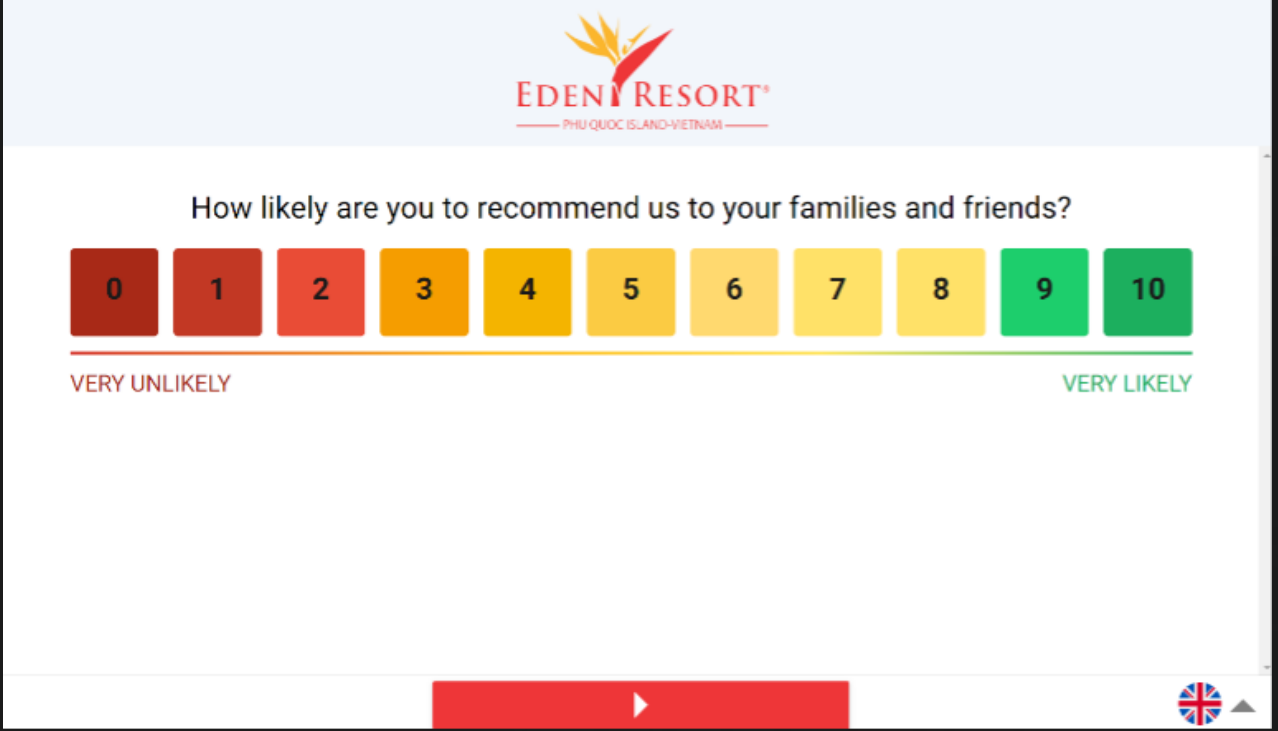
Toàn bộ cửa sổ .nps-modal-box (rộng 560px) được chia thành 4 tầng tương tác mượt mà từ trên xuống dưới:
Plaintext
+-----------------------------------------------------------------------+
|  KHẢO SÁT TRẢI NGHIỆM MUA SẮM SHOPEE                             (X)  | <-- Header
+-----------------------------------------------------------------------+
|                                ( 🤩 )                                 | <-- Emoji động đổi theo :has()!
|             "Tuyệt vời! Bạn hài lòng nhất ở điểm nào?"                | <-- Câu hỏi động đổi theo điểm!
|                                                                       |
|  Bạn có sẵn sàng giới thiệu Shopee cho bạn bè không? (1 - 10)         |
|  [ 1 ] [ 2 ] [ 3 ] [ 4 ] [ 5 ] [ 6 ] [ 7 ] [ 8 ] [ 9 ] [ 10 ]         | <-- Thang điểm NPS 10 ô
|  Rất không hài lòng                                  Rất hài lòng     |     (1-6 Đỏ | 7-8 Vàng | 9-10 Xanh)
|                                                                       |
|  [ ✓ Giao hàng nhanh ] [ ✓ Nhiều mã giảm giá ] [ Đóng gói kỹ ]        | <-- Thẻ lý do chọn nhiều
|  +-----------------------------------------------------------------+  |
|  | Chia sẻ thêm góp ý của bạn cho Shopee (không bắt buộc)...       |  | <-- Textarea góp ý
|  +-----------------------------------------------------------------+  |
|                                                                       |
|           [ Để sau ]         [ 🪙 Gửi Đánh Giá & Nhận +50 Xu ]        | <-- Nút gửi -> Màn hình Cảm ơn!
+-----------------------------------------------------------------------+
| Nhóm điểm NPS chuẩn quốc tế | Dải điểm & Màu sắc | Biểu cảm Emoji & Phản hồi tự động bằng :has() |
|---|---|---|
| Detractors (Chưa hài lòng) | 1 – 6 (Đỏ #ff424f) |
😞 "Rất tiếc! Điều gì khiến bạn chưa hài lòng?" |
| Passives (Trung lập) | 7 – 8 (Vàng Cam #f59e0b) |
🙂 "Cảm ơn bạn! Shopee có thể cải thiện gì để đạt 10 điểm?" |
| Promoters (Rất hài lòng) | 9 – 10 (Xanh Ngọc #00bfa5) |
🤩 "Tuyệt vời! Cảm ơn bạn đã luôn tin tưởng và yêu thích Shopee!" |
2. Thực hành: Code Cửa Sổ "Khảo Sát Mức Độ Hài Lòng NPS" (index.html & main.css)
Bước 1: Thêm Nút Mở Nhanh & HTML Cửa Sổ Khảo Sát NPS vào index.html
- Đầu tiên, mở file
index.html, tìm đến thanh Top Navbar bên trái (ngay cạnh nút Cài Đặt Cookie của Bài 68) để thêm một nút bấm mở nhanh Cửa Sổ Khảo Sát NPS:
HTML
<!-- Trong .top-navbar__list bên trái (Header Shopee), bổ sung nút mở Khảo Sát NPS (Bài 75): -->
<li class="top-navbar__item top-navbar__item--separate">
    <label for="modal-nps-toggle" class="top-navbar__link" style="cursor: pointer;">
        <i class="fa-regular fa-face-smile"></i> Khảo Sát NPS
    </label>
</li>
- Tiếp theo, cuộn xuống cuối file
index.html(ngay bên dưới khốiCookie Consent Bannercủa Bài 68 và trước thẻ đóng</body>), chèn toàn bộ cấu trúc Cửa Sổ Khảo Sát Mức Độ Hài Lòng NPS (#modal-nps-toggle) dưới đây:
HTML
<!-- ================================================================= -->
<!-- 15. CỬA SỔ KHẢO SÁT MỨC ĐỘ HÀI LÒNG NPS 1-10 & EMOJI (BÀI 75) -->
<!-- ================================================================= -->
<input type="checkbox" id="modal-nps-toggle" class="modal-toggle-input">
<div class="modal nps-feedback-modal">
<!-- Lớp màn đen phủ toàn màn hình (Bấm ra ngoài để đóng) -->
<label for="modal-nps-toggle" class="modal__overlay"></label>
<div class="modal__body">
<div class="nps-modal-box">
<!-- Checkbox ẩn điều khiển trạng thái Đã Gửi Khảo Sát -> Hiện màn hình Cảm ơn! -->
<input type="checkbox" id="nps-submitted-toggle" class="nps-hidden-input">
<!-- 1. Header Cửa Sổ Khảo Sát -->
<header class="nps-modal__header">
<div class="nps-header__left">
<span class="nps-reward-pill"><i class="fa-solid fa-coins"></i> +50 Xu</span>
<h3 class="nps-modal__title">Khảo Sát Trải Nghiệm Shopee</h3>
</div>
<label for="modal-nps-toggle" class="nps-modal__close" title="Đóng cửa sổ">
<i class="fa-solid fa-xmark"></i>
</label>
</header>
<!-- 2. FORM KHẢO SÁT CHÍNH (Ẩn đi khi #nps-submitted-toggle:checked) -->
<form class="nps-form-body" onsubmit="return false;">
<!-- Khu vực Biểu Cảm Emoji & Lời Nhắn Động (Tự động đổi theo điểm 1-10!) -->
<div class="nps-reaction-stage">
<div class="nps-emoji-bubble nps-react--low">
<span class="nps-emoji-icon">😞</span>
<strong class="nps-react-text">Rất tiếc! Điều gì khiến bạn chưa hài lòng?</strong>
</div>
<div class="nps-emoji-bubble nps-react--mid">
<span class="nps-emoji-icon">🙂</span>
<strong class="nps-react-text">Cảm ơn bạn! Shopee nên cải thiện gì để đạt 10 điểm?</strong>
</div>
<div class="nps-emoji-bubble nps-react--high">
<span class="nps-emoji-icon">🤩</span>
<strong class="nps-react-text">Tuyệt vời! Cảm ơn bạn đã luôn yêu thích Shopee!</strong>
</div>
</div>
<p class="nps-question-label">
Bạn có sẵn sàng giới thiệu Shopee cho bạn bè và người thân không?
</p>
<!-- THANG ĐIỂM NPS TỪ 1 ĐẾN 10 (PHÂN 3 NHÓM MÀU NGỮ NGHĨA) -->
<div class="nps-scale-grid" role="radiogroup" aria-label="Chọn điểm hài lòng từ 1 đến 10">
<label class="nps-score-item nps-score--low"><input type="radio" name="nps-score" value="1"><span>1</span></label>
<label class="nps-score-item nps-score--low"><input type="radio" name="nps-score" value="2"><span>2</span></label>
<label class="nps-score-item nps-score--low"><input type="radio" name="nps-score" value="3"><span>3</span></label>
<label class="nps-score-item nps-score--low"><input type="radio" name="nps-score" value="4"><span>4</span></label>
<label class="nps-score-item nps-score--low"><input type="radio" name="nps-score" value="5"><span>5</span></label>
<label class="nps-score-item nps-score--low"><input type="radio" name="nps-score" value="6"><span>6</span></label>
<label class="nps-score-item nps-score--mid"><input type="radio" name="nps-score" value="7"><span>7</span></label>
<label class="nps-score-item nps-score--mid"><input type="radio" name="nps-score" value="8"><span>8</span></label>
<label class="nps-score-item nps-score--high"><input type="radio" name="nps-score" value="9" checked><span>9</span></label>
<label class="nps-score-item nps-score--high"><input type="radio" name="nps-score" value="10"><span>10</span></label>
</div>
<div class="nps-scale-anchors">
<span>1 — Rất không hài lòng</span>
<span>10 — Rất hài lòng</span>
</div>
<!-- Thẻ Lý Do Chọn Nhiều (Multi-Select Feedback Chips) -->
<div class="nps-chips-section">
<span class="nps-chips-title">Yếu tố ảnh hưởng đến đánh giá của bạn:</span>
<div class="nps-chips-list">
<label class="nps-chip-item">
<input type="checkbox" checked>
<span>Giao hàng nhanh</span>
</label>
<label class="nps-chip-item">
<input type="checkbox" checked>
<span>Nhiều mã Freeship</span>
</label>
<label class="nps-chip-item">
<input type="checkbox">
<span>Giá cả cạnh tranh</span>
</label>
<label class="nps-chip-item">
<input type="checkbox">
<span>Sản phẩm chính hãng</span>
</label>
<label class="nps-chip-item">
<input type="checkbox">
<span>Hỗ trợ CSKH nhiệt tình</span>
</label>
</div>
</div>
<!-- Ô nhập góp ý tự do -->
<textarea class="nps-comment-box" rows="3" placeholder="Chia sẻ thêm góp ý chi tiết của bạn để Shopee phục vụ tốt hơn (không bắt buộc)..."></textarea>
<!-- Chân Form: Để sau & Gửi đánh giá -->
<div class="nps-form-footer">
<label for="modal-nps-toggle" class="btn order-btn--secondary nps-later-btn">Để sau</label>
<label for="nps-submitted-toggle" class="btn btn--primary nps-submit-btn">
<i class="fa-solid fa-paper-plane"></i> Gửi Đánh Giá & Nhận +50 Xu
</label>
</div>
</form>
<!-- 3. MÀN HÌNH CẢM ƠN SAU KHI GỬI (Hiện lên khi #nps-submitted-toggle:checked) -->
<div class="nps-thankyou-view">
<div class="nps-thankyou-icon">
<i class="fa-solid fa-circle-check"></i>
</div>
<h4 class="nps-thankyou-title">Cảm Ơn Góp Ý Quý Báu Của Bạn!</h4>
<p class="nps-thankyou-desc">
Đánh giá của bạn giúp Shopee hoàn thiện trải nghiệm mua sắm mỗi ngày. Hệ thống đã cộng thưởng <strong>+50 Shopee Xu</strong> vào Ví của bạn!
</p>
<div class="nps-thankyou-actions">
<label for="modal-nps-toggle" class="btn btn--primary nps-done-btn">Tiếp Tục Mua Sắm</label>
<label for="nps-submitted-toggle" class="nps-reset-link">Chỉnh sửa lại đánh giá</label>
</div>
</div>
</div>
</div>
</div>
Bước 2: Viết CSS cho Thang Điểm NPS 1–10 & Emoji Động :has() trong ./assets/css/main.css
Hãy mở file main.css, cuộn xuống dưới cùng và bổ sung đoạn code CSS của Bài 75 dưới đây:
CSS
/* Bổ sung vào cuối file ./assets/css/main.css */

/* --- BÀI 75: CỬA SỔ KHẢO SÁT MỨC ĐỘ HÀI LÒNG NPS 1-10 & EMOJI FEEDBACK --- */

@keyframes emojiBounce {
    0%   { transform: scale(0.7); opacity: 0; }
    60%  { transform: scale(1.12); opacity: 1; }
    100% { transform: scale(1); opacity: 1; }
}

.nps-hidden-input {
    display: none;
}

.nps-modal-box {
    width: 56rem;
    max-width: calc(100vw - 2.4rem);
    background-color: var(--white-color);
    border-radius: 8px;
    overflow: hidden;
    box-shadow: 0 14px 40px rgba(0, 0, 0, 0.28);
}

/* 1. Header Cửa Sổ Khảo Sát */
.nps-modal__header {
    padding: 1.6rem 2.2rem;
    border-bottom: 1px solid var(--border-subtle, #eeeeee);
    display: flex;
    align-items: center;
    justify-content: space-between;
}

.nps-header__left {
    display: flex;
    align-items: center;
    gap: 1rem;
}

.nps-reward-pill {
    background-color: #fff8e1;
    color: #d97706;
    font-size: 1.2rem;
    font-weight: 700;
    padding: 0.3rem 0.9rem;
    border-radius: 2rem;
    display: inline-flex;
    align-items: center;
    gap: 0.4rem;
}

.nps-modal__title {
    font-size: 1.65rem;
    font-weight: 600;
    color: var(--text-primary);
}

.nps-modal__close {
    font-size: 2rem;
    color: #999999;
    cursor: pointer;
    padding: 0.2rem 0.5rem;
    transition: color 0.15s ease;
}

.nps-modal__close:hover {
    color: var(--shopee-primary);
}

/* ================================================================= */
/* 2. THÂN FORM KHẢO SÁT & BIỂU CẢM EMOJI ĐỘNG THEO :HAS()           */
/* ================================================================= */
.nps-form-body {
    padding: 2.2rem 2.4rem 2.4rem;
}

.nps-reaction-stage {
    text-align: center;
    margin-bottom: 1.8rem;
    min-height: 7.4rem;
    display: flex;
    align-items: center;
    justify-content: center;
}

.nps-emoji-bubble {
    display: none;
    flex-direction: column;
    align-items: center;
    gap: 0.6rem;
    animation: emojiBounce 0.35s ease;
}

.nps-emoji-icon {
    font-size: 4.2rem;
    line-height: 4.4rem;
}

.nps-react-text {
    font-size: 1.45rem;
    color: var(--text-primary);
}

/* BÍ THUẬT :HAS() — TỰ ĐỘNG ĐỔI EMOJI & CÂU HỎI THEO NHÓM ĐIỂM ĐANG CHỌN! */
.nps-form-body:has(.nps-score--low input:checked) .nps-react--low,
.nps-form-body:has(.nps-score--mid input:checked) .nps-react--mid,
.nps-form-body:has(.nps-score--high input:checked) .nps-react--high {
    display: flex;
}

.nps-question-label {
    font-size: 1.4rem;
    color: var(--text-secondary);
    text-align: center;
    margin-bottom: 1.4rem;
}

/* Thang điểm 10 ô (1 -> 10) */
.nps-scale-grid {
    display: grid;
    grid-template-columns: repeat(10, 1fr);
    gap: 0.6rem;
    margin-bottom: 0.8rem;
}

.nps-score-item {
    cursor: pointer;
    user-select: none;
}

.nps-score-item input {
    display: none;
}

.nps-score-item span {
    display: flex;
    align-items: center;
    justify-content: center;
    height: 4rem;
    border-radius: 4px;
    border: 1.5px solid var(--border-subtle, #dcdcdc);
    background-color: var(--bg-elevated, #fafafa);
    font-size: 1.45rem;
    font-weight: 600;
    color: var(--text-primary);
    transition: all 0.15s ease;
}

.nps-score-item:hover span {
    transform: translateY(-0.2rem);
    border-color: var(--shopee-primary);
}

/* Phân 3 màu ngữ nghĩa chuẩn NPS khi :checked */
.nps-score--low input:checked + span {
    background-color: #ff424f;
    border-color: #ff424f;
    color: #ffffff;
    box-shadow: 0 4px 10px rgba(255, 66, 79, 0.3);
}

.nps-score--mid input:checked + span {
    background-color: #f59e0b;
    border-color: #f59e0b;
    color: #ffffff;
    box-shadow: 0 4px 10px rgba(245, 158, 11, 0.3);
}

.nps-score--high input:checked + span {
    background-color: #00bfa5;
    border-color: #00bfa5;
    color: #ffffff;
    box-shadow: 0 4px 10px rgba(0, 191, 165, 0.3);
}

.nps-scale-anchors {
    display: flex;
    justify-content: space-between;
    font-size: 1.2rem;
    color: var(--text-secondary);
    margin-bottom: 2rem;
}

/* Thẻ lý do chọn nhiều (Multi-Select Chips) */
.nps-chips-section {
    margin-bottom: 1.6rem;
}

.nps-chips-title {
    display: block;
    font-size: 1.3rem;
    font-weight: 500;
    color: var(--text-primary);
    margin-bottom: 1rem;
}

.nps-chips-list {
    display: flex;
    flex-wrap: wrap;
    gap: 0.8rem;
}

.nps-chip-item {
    cursor: pointer;
    user-select: none;
}

.nps-chip-item input {
    display: none;
}

.nps-chip-item span {
    display: inline-block;
    padding: 0.6rem 1.2rem;
    border-radius: 2rem;
    border: 1px solid var(--border-subtle, #dcdcdc);
    background-color: var(--white-color);
    font-size: 1.25rem;
    color: var(--text-secondary);
    transition: all 0.15s ease;
}

.nps-chip-item input:checked + span {
    border-color: var(--shopee-primary);
    background-color: var(--shopee-primary-light);
    color: var(--shopee-primary);
    font-weight: 500;
}

/* Ô nhập góp ý tự do */
.nps-comment-box {
    width: 100%;
    padding: 1rem 1.2rem;
    border: 1px solid var(--border-subtle, #dcdcdc);
    border-radius: 4px;
    font-family: inherit;
    font-size: 1.35rem;
    line-height: 2rem;
    color: var(--text-primary);
    background-color: var(--bg-elevated, #fafafa);
    resize: vertical;
    outline: none;
    margin-bottom: 1.8rem;
}

.nps-comment-box:focus {
    border-color: var(--shopee-primary);
    background-color: var(--white-color);
}

.nps-form-footer {
    display: flex;
    justify-content: flex-end;
    gap: 1rem;
}

.nps-later-btn,
.nps-submit-btn {
    height: 4rem;
    padding: 0 2rem;
    font-size: 1.4rem;
    gap: 0.6rem;
    cursor: pointer;
    user-select: none;
}

/* ================================================================= */
/* 3. MÀN HÌNH CẢM ƠN SAU KHI GỬI (#nps-submitted-toggle:checked)    */
/* ================================================================= */
.nps-thankyou-view {
    display: none;
    padding: 4rem 2.8rem;
    text-align: center;
    animation: emojiBounce 0.35s ease;
}

#nps-submitted-toggle:checked ~ .nps-form-body {
    display: none;
}

#nps-submitted-toggle:checked ~ .nps-thankyou-view {
    display: block;
}

.nps-thankyou-icon {
    font-size: 6.4rem;
    color: #00bfa5;
    margin-bottom: 1.4rem;
}

.nps-thankyou-title {
    font-size: 2rem;
    font-weight: 700;
    color: var(--text-primary);
    margin-bottom: 0.8rem;
}

.nps-thankyou-desc {
    font-size: 1.4rem;
    line-height: 2.2rem;
    color: var(--text-secondary);
    max-width: 42rem;
    margin: 0 auto 2.4rem;
}

.nps-thankyou-actions {
    display: flex;
    flex-direction: column;
    align-items: center;
    gap: 1.2rem;
}

.nps-done-btn {
    min-width: 22rem;
    height: 4.2rem;
    font-size: 1.45rem;
    cursor: pointer;
}

.nps-reset-link {
    font-size: 1.3rem;
    color: var(--text-secondary);
    cursor: pointer;
    text-decoration: underline;
}

.nps-reset-link:hover {
    color: var(--shopee-primary);
}
Bước 3: Bổ sung quy tắc Responsive cho Cửa Sổ NPS trong ./assets/css/responsive.css
Trên màn hình Điện thoại (<= 739px), chúng ta chuyển lưới 10 ô điểm sang 2 hàng × 5 cột (repeat(5, 1fr)) để ngón tay dễ chạm chính xác từng con số mà không bị quá nhỏ:
CSS
/* Bổ sung vào cuối khối @media (max-width: 739px) trong ./assets/css/responsive.css */
    .nps-form-body {
        padding: 1.6rem;
    }

    .nps-scale-grid {
        grid-template-columns: repeat(5, 1fr);
    }

    .nps-form-footer {
        flex-direction: column-reverse;
    }

    .nps-later-btn,
    .nps-submit-btn {
        width: 100%;
    }
3. Giải mã dòng code: 3 Điểm sáng Kỹ thuật trong Bài 75
-
Phản ứng Emoji động không cần JavaScript nhờ
:has():- Chỉ với 3 dòng bộ chọn
.nps-form-body:has(.nps-score--low input:checked) .nps-react--low, toàn bộ biểu tượng Emoji lẫn câu hỏi gợi ý ở đầu Modal tự động đồng bộ theo từng nhóm điểm 1–6 / 7–8 / 9–10 kèm hiệu ứng nảyemojiBounce!
- Chỉ với 3 dòng bộ chọn
-
Tối ưu chạm cảm ứng trên Mobile (
repeat(5, 1fr)):- Xếp 10 ô số trên 1 hàng ngang trên màn hình điện thoại
360pxsẽ làm mỗi ô chỉ rộng khoảng28px— rất dễ bấm nhầm. Hạ xuống 2 hàng × 5 cột trên Mobile giúp mỗi ô rộng rãi chuẩn kích thước ngón tay (>= 44px).
- Xếp 10 ô số trên 1 hàng ngang trên màn hình điện thoại
-
Luồng chuyển đổi trạng thái khép kín (
FormThank You View):- Kết hợp
#nps-submitted-togglecho phép người dùng trải nghiệm trọn vẹn cảm giác gửi khảo sát nhận+50 Xuvà có thể bấm "Chỉnh sửa lại đánh giá" để quay lại form ngay lập tức.
- Kết hợp
4. Bài tập trải nghiệm thực tế & Hẹn gặp ở Bài 76!
Hãy lưu lại toàn bộ các file (index.html, main.css, responsive.css) và nhấn F5 trên trình duyệt!
-
Nhìn lên thanh Top Navbar bên trái và click vào mục "Khảo Sát NPS":
-
Cửa sổ khảo sát bật lên với điểm
9mặc định và Emoji 🤩 Tuyệt vời!. -
Thử bấm chọn số
4(nhóm Đỏ), rồi bấm số7(nhóm Vàng), rồi bấm số10(nhóm Xanh Ngọc): Emoji và câu hỏi ở trên đỉnh sẽ lập tức đổi biểu cảm và nảy lên mượt mà! -
Bấm "Gửi Đánh Giá & Nhận +50 Xu" để xem màn hình Cảm ơn hiện lên!
-
Ở Bài 76, chúng ta sẽ bước vào 25 bài học cuối cùng của series bằng một tính năng cực kỳ kịch tính trên Shopee: Giao Diện "Săn Deal 1Đ / Đấu Giá Ngược" (Flash Bidding & Live Countdown Card) với thanh đếm ngược và bảng lịch sử người vừa đặt giá!
All rights reserved