[Series 100 Bài Học HTML/CSS Thực Chiến - Bài 53]: Xây Dựng Bảng Quản Lý Sản Phẩm Của Shop (Seller Product Inventory Table) — Công Tắc Gạt Toggle Switch CSS Thuần, Cảnh Báo Tồn Kho & Thanh Thao Tác Hàng Loạt
Chào mừng anh em đã bước sang Bài 53 trong chuỗi 100 Bài Học Làm Chủ HTML/CSS Qua Dự Án Clone Shopee!
Ở Bài 52, chúng ta đã khởi động Chương 13 (Kênh Người Bán) với bảng Tổng quan Danh sách cần làm và Biểu đồ doanh thu 7 ngày bằng CSS thuần. Hôm nay, chúng ta sẽ đi sâu vào màn hình làm việc hằng ngày quan trọng nhất của mọi chủ Shop: Bảng Quản Lý Sản Phẩm & Kho Hàng (Seller Product Inventory Table)!
Khi một Gian hàng có hàng trăm mã SKU khác nhau (như AULA F75 Pro, AULA F99, Chuột SC580...), bảng quản lý sản phẩm trên banhang.shopee.vn giải quyết 4 bài toán UI/UX quản trị cốt lõi:
-
Thanh Tab Trạng Thái Sản Phẩm (
All | Đang Hoạt Động | Hết Hàng | Đã Ẩn): Giúp chủ Shop lọc nhanh các mặt hàng cần nhập thêm kho chỉ bằng 1 cú click (CSS Radio Tabs). -
Công Tắc Gạt Bật/Tắt Hiển Thị Sản Phẩm (
Pure CSS Toggle Switch): Thay vì bắt người bán phải bấm vào trang Sửa sản phẩm mới ẩn được hàng, Shopee đặt ngay một công tắc gạt hình viên thuốc (40px × 22px) ở mỗi dòng. Khi gạt sang phải (:checked), nền chuyển sang Xanh Ngọc (#00bfa5) (Đang bán); gạt sang trái, nền về Xám (#d8d8d8) (Tạm ẩn)! -
Hệ Thống Cảnh Báo Tồn Kho 3 Cấp Độ (
3-Tier Stock Status Badges): Phân loại trực quan bằng màu sắc: Còn nhiều hàng (Chữ đen bình thường), Sắp hết hàng (Nhãn vàng cam "Còn 4 · Nhập thêm"), và Hết hàng (Nhãn đỏ "0 · Cháy kho"). -
Thanh Thao Tác Hàng Loạt (
Sticky Bulk Action Bar): Gắn ở chân bảng, hiển thị số sản phẩm đang tích chọn cùng các nút Ẩn hàng loạt, Cập nhật giá, Xóa.
1. Giải phẫu Bảng Dữ Liệu Quản Trị (Admin Inventory Table) & Bí thuật Vẽ Toggle Switch
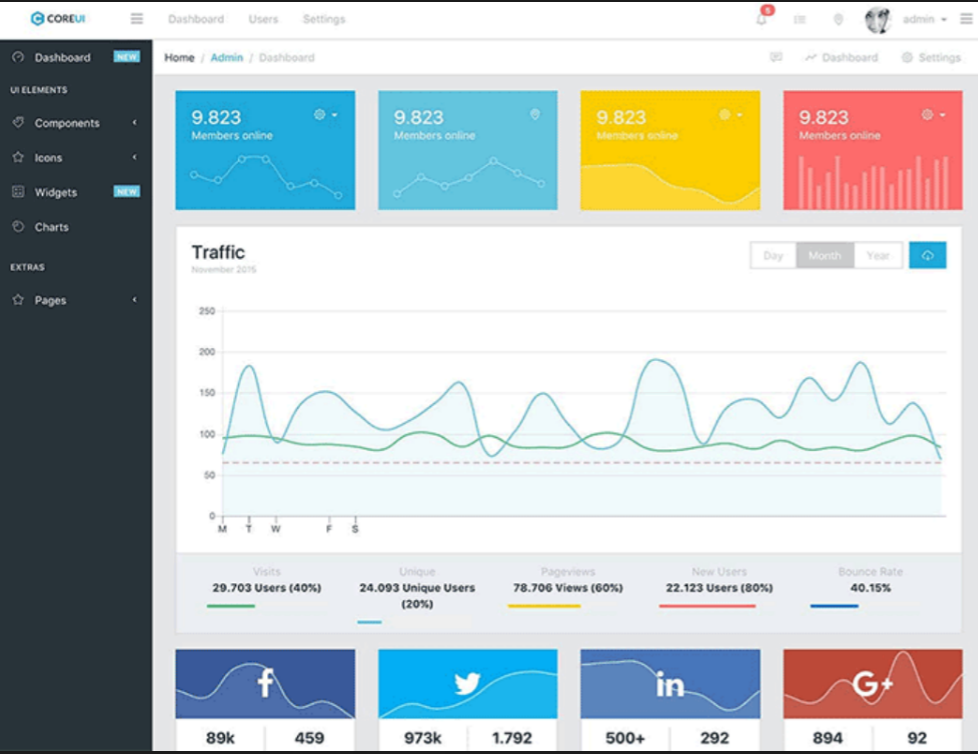
Hãy quan sát bố cục chuẩn của một bảng quản lý danh sách sản phẩm trong hệ thống quản trị Thương mại điện tử (Admin Product Table UI) với các cột ảnh thu nhỏ, mã SKU, giá bán, tồn kho và nút thao tác nhanh dưới đây:
Để thiết kế Công Tắc Gạt (Toggle Switch) mượt mà chuẩn iOS/Shopee mà không dùng một dòng JavaScript nào, chúng ta sử dụng kỹ thuật Checkbox Hack + Phần tử giả ::after trượt ngang bằng transform: translateX():
Plaintext
TRẠNG THÁI 1: TẠM ẨN (Unchecked)                 TRẠNG THÁI 2: ĐANG BÁN (:checked)
  +------------------+                             +------------------+
  | (⚪)             |  Nền Xám #d8d8d8            |             (⚪) |  Nền Xanh #00bfa5
  +------------------+                             +------------------+
   translateX(0)                                    translateX(1.8rem)
Thành phần trong .seller-switch |
Khai báo CSS cốt lõi | Giải thích cơ chế toán học |
|---|---|---|
| Vỏ viên thuốc ( .seller-switch__slider) |
width: 4rem; height: 2.2rem;border-radius: 2rem;background-color: #d8d8d8; |
Tạo thanh trượt bo tròn 2 đầu (40px × 22px), làm khung chứa cho nút tròn trắng bên trong. |
| Nút tròn trắng ( .seller-switch__slider::after) |
width: 1.8rem; height: 1.8rem;top: 0.2rem; left: 0.2rem;border-radius: 50%; background: #fff; |
Nút tròn đường kính 18px, cách viền trên/trái đúng 2px (0.2rem) để nằm cân đối tuyệt đối bên trong vỏ cao 22px (). |
Khoảng cách trượt khi :checked |
transform: translateX(1.8rem); |
Chiều rộng vỏ 40px trừ đường kính nút 18px trừ 2 lề 4px = 18px (1.8rem). Trượt đúng 1.8rem là nút chạm vừa khít mép phải! |
2. Thực hành: Code Bảng Quản Lý Sản Phẩm Của Shop (index.html & main.css)
Bước 1: Bổ sung HTML Bảng Quản Lý Sản Phẩm (.seller-inventory-card) vào index.html
Hãy mở file index.html, tìm đến bên trong <div class="seller-workspace"> của Chương 13 (Bài 52) (ngay bên dưới thẻ đóng </div> của Card Biểu Đồ Doanh Thu) và chèn toàn bộ cấu trúc Bảng Quản Lý Sản Phẩm Của Shop dưới đây:
HTML
<!-- ========================================================= -->
<!-- BÀI 53: BẢNG QUẢN LÝ SẢN PHẨM & KHO HÀNG (INVENTORY TABLE)-->
<!-- ========================================================= -->
<div class="seller-card seller-inventory-card">
<!-- Hệ thống 4 nút Radio lọc nhanh trạng thái sản phẩm trong bảng -->
<input type="radio" name="inv-tab-filter" id="inv-tab-all" class="inv-tab-input" checked>
<input type="radio" name="inv-tab-filter" id="inv-tab-active" class="inv-tab-input">
<input type="radio" name="inv-tab-filter" id="inv-tab-out" class="inv-tab-input">
<input type="radio" name="inv-tab-filter" id="inv-tab-hidden" class="inv-tab-input">
<!-- 1. Header Bảng Quản Lý Sản Phẩm + Nút Thêm Sản Phẩm Mới -->
<div class="seller-card__header seller-card__header--row">
<div>
<h3 class="seller-card__title">Quản Lý Sản Phẩm (185 Sản phẩm)</h3>
<p class="seller-card__subtitle">Theo dõi tồn kho, điều chỉnh giá bán và bật/tắt trạng thái hiển thị nhanh</p>
</div>
<button type="button" class="btn btn--primary seller-add-product-btn">
<i class="fa-solid fa-plus"></i> Thêm 1 Sản Phẩm Mới
</button>
</div>
<!-- 2. Thanh 4 Tab Lọc Trạng Thái Kho Hàng -->
<nav class="inv-filter-tabs" aria-label="Lọc trạng thái sản phẩm">
<label for="inv-tab-all" class="inv-filter-tab">Tất cả (4)</label>
<label for="inv-tab-active" class="inv-filter-tab">Đang hoạt động (2)</label>
<label for="inv-tab-out" class="inv-filter-tab">Hết hàng <span class="inv-tab-alert-count">1</span></label>
<label for="inv-tab-hidden" class="inv-filter-tab">Đã ẩn (1)</label>
</nav>
<!-- 3. Thanh Tìm Kiếm & Lọc Nhanh Theo Mã SKU -->
<div class="inv-search-toolbar">
<div class="inv-search-box">
<i class="fa-solid fa-magnifying-glass"></i>
<input type="text" class="inv-search-input" placeholder="Tìm theo Tên sản phẩm, SKU sản phẩm, SKU phân loại...">
</div>
<select class="inv-category-select" aria-label="Lọc ngành hàng">
<option value="all">Tất cả Ngành hàng</option>
<option value="keyboard">Bàn phím cơ</option>
<option value="mouse">Chuột Gaming</option>
<option value="monitor">Màn hình máy tính</option>
</select>
</div>
<!-- 4. BẢNG DỮ LIỆU SẢN PHẨM (.inv-table-wrapper hỗ trợ cuộn ngang trên Mobile) -->
<div class="inv-table-wrapper">
<table class="inv-table">
<thead>
<tr>
<th class="inv-col-check">
<label class="filter-checkbox">
<input type="checkbox" class="filter-checkbox__input" checked>
<span class="filter-checkbox__box"><i class="fa-solid fa-check"></i></span>
</label>
</th>
<th class="inv-col-product">Sản phẩm / Mã SKU</th>
<th class="inv-col-price">Giá bán</th>
<th class="inv-col-stock">Kho hàng</th>
<th class="inv-col-sales">Doanh số</th>
<th class="inv-col-status">Hiển thị</th>
<th class="inv-col-action">Thao tác</th>
</tr>
</thead>
<tbody>
<!-- DÒNG 1: ĐANG BÁN TỐT (Tồn kho an toàn: 142) -->
<tr class="inv-row inv-row--active">
<td>
<label class="filter-checkbox">
<input type="checkbox" class="filter-checkbox__input" checked>
<span class="filter-checkbox__box"><i class="fa-solid fa-check"></i></span>
</label>
</td>
<td>
<div class="inv-product-cell">
<img src="https://placehold.co/112x112/ee4d2d/ffffff?text=F75+Pro" alt="AULA F75 Pro" class="inv-product-img">
<div class="inv-product-meta">
<a href="#" class="inv-product-name">Bàn phím cơ không dây AULA F75 Pro 3 Mode Mạch Xuôi Hotswap</a>
<span class="inv-product-sku">SKU: <strong>AULA-F75-ICE-01</strong></span>
</div>
</div>
</td>
<td class="inv-price-cell">₫850.000</td>
<td>
<span class="stock-badge stock-badge--healthy">142</span>
</td>
<td class="inv-sales-cell">12.420</td>
<td>
<!-- CÔNG TẮC GẠT TOGGLE SWITCH (Đang Bật = Xanh ngọc) -->
<label class="seller-switch" title="Bật / Tắt hiển thị sản phẩm">
<input type="checkbox" class="seller-switch__input" checked>
<span class="seller-switch__slider"></span>
</label>
</td>
<td class="inv-action-cell">
<a href="#" class="inv-action-link">Cập nhật</a>
</td>
</tr>
<!-- DÒNG 2: CẢNH BÁO TỒN KHO THẤP (Chỉ còn 4 sản phẩm!) -->
<tr class="inv-row inv-row--active">
<td>
<label class="filter-checkbox">
<input type="checkbox" class="filter-checkbox__input" checked>
<span class="filter-checkbox__box"><i class="fa-solid fa-check"></i></span>
</label>
</td>
<td>
<div class="inv-product-cell">
<img src="https://placehold.co/112x112/7b1fa2/ffffff?text=WIN68+HE" alt="AULA WIN68 HE" class="inv-product-img">
<div class="inv-product-meta">
<a href="#" class="inv-product-name">Bàn phím cơ từ tính AULA WIN68 HE Rapid Trigger 8000Hz</a>
<span class="inv-product-sku">SKU: <strong>AULA-W68-HE-02</strong></span>
</div>
</div>
</td>
<td class="inv-price-cell">₫1.190.000</td>
<td>
<div class="stock-warning-wrap">
<span class="stock-badge stock-badge--low">
<i class="fa-solid fa-triangle-exclamation"></i> Còn 4
</span>
<span class="stock-sub-hint">Sắp hết hàng</span>
</div>
</td>
<td class="inv-sales-cell">2.105</td>
<td>
<label class="seller-switch" title="Bật / Tắt hiển thị sản phẩm">
<input type="checkbox" class="seller-switch__input" checked>
<span class="seller-switch__slider"></span>
</label>
</td>
<td class="inv-action-cell">
<a href="#" class="inv-action-link">Nhập kho</a>
</td>
</tr>
<!-- DÒNG 3: CẢNH BÁO ĐỎ - ĐÃ HẾT HÀNG (Tồn kho = 0) -->
<tr class="inv-row inv-row--out">
<td>
<label class="filter-checkbox">
<input type="checkbox" class="filter-checkbox__input">
<span class="filter-checkbox__box"><i class="fa-solid fa-check"></i></span>
</label>
</td>
<td>
<div class="inv-product-cell">
<img src="https://placehold.co/112x112/00bfa5/ffffff?text=SC580" alt="Chuột AULA SC580" class="inv-product-img">
<div class="inv-product-meta">
<a href="#" class="inv-product-name">Chuột Gaming Không Dây AULA SC580 3 Mode Siêu Nhẹ 58g</a>
<span class="inv-product-sku">SKU: <strong>AULA-SC580-WHT</strong></span>
</div>
</div>
</td>
<td class="inv-price-cell">₫389.000</td>
<td>
<div class="stock-warning-wrap">
<span class="stock-badge stock-badge--out">
<i class="fa-solid fa-circle-xmark"></i> 0 · Hết hàng
</span>
</div>
</td>
<td class="inv-sales-cell">9.512</td>
<td>
<label class="seller-switch" title="Bật / Tắt hiển thị sản phẩm">
<input type="checkbox" class="seller-switch__input" checked>
<span class="seller-switch__slider"></span>
</label>
</td>
<td class="inv-action-cell">
<a href="#" class="inv-action-link inv-action-link--urgent">Bổ sung ngay</a>
</td>
</tr>
<!-- DÒNG 4: ĐÃ TẠM ẨN (Công tắc Toggle Switch đang Tắt) -->
<tr class="inv-row inv-row--hidden">
<td>
<label class="filter-checkbox">
<input type="checkbox" class="filter-checkbox__input">
<span class="filter-checkbox__box"><i class="fa-solid fa-check"></i></span>
</label>
</td>
<td>
<div class="inv-product-cell">
<img src="https://placehold.co/112x112/607d8b/ffffff?text=Keycap+PBT" alt="Bộ Keycap PBT" class="inv-product-img">
<div class="inv-product-meta">
<a href="#" class="inv-product-name">Bộ Keycap PBT Double-Shot Xuyên LED 135 Phím (Bản cũ)</a>
<span class="inv-product-sku">SKU: <strong>AULA-KC-135-OLD</strong></span>
</div>
</div>
</td>
<td class="inv-price-cell">₫245.000</td>
<td>
<span class="stock-badge stock-badge--healthy">38</span>
</td>
<td class="inv-sales-cell">418</td>
<td>
<!-- Công tắc đang TẮT (Unchecked = Màu xám) -->
<label class="seller-switch" title="Bật / Tắt hiển thị sản phẩm">
<input type="checkbox" class="seller-switch__input">
<span class="seller-switch__slider"></span>
</label>
</td>
<td class="inv-action-cell">
<a href="#" class="inv-action-link">Cập nhật</a>
</td>
</tr>
</tbody>
</table>
</div>
<!-- 5. THANH THAO TÁC HÀNG LOẠT (STICKY BULK ACTION BAR) -->
<footer class="inv-bulk-bar">
<div class="inv-bulk-bar__left">
<span>Đã chọn <strong>2 sản phẩm</strong></span>
</div>
<div class="inv-bulk-bar__actions">
<button type="button" class="btn inv-bulk-btn">Ẩn hàng loạt</button>
<button type="button" class="btn inv-bulk-btn">Cập nhật kho</button>
<button type="button" class="btn inv-bulk-btn inv-bulk-btn--danger">Xóa</button>
</div>
</footer>
</div>
Bước 2: Viết CSS cho Bảng Quản Lý Sản Phẩm & Toggle Switch trong ./assets/css/main.css
Hãy mở file main.css, cuộn xuống dưới cùng và bổ sung đoạn code CSS của Bài 53 dưới đây:
CSS
/* Bổ sung vào cuối file ./assets/css/main.css */

/* --- BÀI 53: BẢNG QUẢN LÝ SẢN PHẨM CỬA HÀNG & CÔNG TẮC TOGGLE SWITCH --- */

.inv-tab-input {
    display: none;
}

.seller-add-product-btn {
    height: 3.6rem;
    padding: 0 1.6rem;
    font-size: 1.35rem;
    gap: 0.6rem;
}

/* 1. Thanh 4 Tab Lọc Trạng Thái Kho Hàng */
.inv-filter-tabs {
    display: flex;
    border-bottom: 1px solid #eeeeee;
    margin-bottom: 1.6rem;
    gap: 2.8rem;
}

.inv-filter-tab {
    padding: 1rem 0 1.2rem;
    font-size: 1.4rem;
    color: var(--text-primary);
    cursor: pointer;
    user-select: none;
    position: relative;
    display: inline-flex;
    align-items: center;
    gap: 0.6rem;
    transition: color 0.15s ease;
}

.inv-filter-tab:hover {
    color: var(--shopee-primary);
}

.inv-tab-alert-count {
    background-color: #ff424f;
    color: var(--white-color);
    font-size: 1.1rem;
    font-weight: 700;
    padding: 0 0.55rem;
    line-height: 1.6rem;
    border-radius: 1rem;
}

#inv-tab-all:checked ~ .inv-filter-tabs label[for="inv-tab-all"],
#inv-tab-active:checked ~ .inv-filter-tabs label[for="inv-tab-active"],
#inv-tab-out:checked ~ .inv-filter-tabs label[for="inv-tab-out"],
#inv-tab-hidden:checked ~ .inv-filter-tabs label[for="inv-tab-hidden"] {
    color: var(--shopee-primary);
    font-weight: 600;
    border-bottom: 2px solid var(--shopee-primary);
}

/* Lọc các dòng sản phẩm trong bảng theo Tab Radio */
#inv-tab-active:checked ~ .inv-table-wrapper .inv-row:not(.inv-row--active),
#inv-tab-out:checked ~ .inv-table-wrapper .inv-row:not(.inv-row--out),
#inv-tab-hidden:checked ~ .inv-table-wrapper .inv-row:not(.inv-row--hidden) {
    display: none;
}

/* 2. Thanh tìm kiếm SKU & Lọc ngành hàng */
.inv-search-toolbar {
    display: flex;
    gap: 1.2rem;
    margin-bottom: 1.6rem;
}

.inv-search-box {
    flex: 1;
    height: 3.6rem;
    border: 1px solid #dcdcdc;
    border-radius: 4px;
    padding: 0 1.2rem;
    display: flex;
    align-items: center;
    gap: 0.8rem;
    color: #999999;
    font-size: 1.35rem;
}

.inv-search-box:focus-within {
    border-color: var(--shopee-primary);
}

.inv-search-input {
    flex: 1;
    font-size: 1.35rem;
    color: var(--text-primary);
}

.inv-category-select {
    width: 20rem;
    height: 3.6rem;
    border: 1px solid #dcdcdc;
    border-radius: 4px;
    padding: 0 1rem;
    font-size: 1.35rem;
    color: var(--text-primary);
    background-color: var(--white-color);
    outline: none;
}

/* 3. Bảng Dữ Liệu Sản Phẩm (.inv-table) */
.inv-table-wrapper {
    width: 100%;
    overflow-x: auto;
    border: 1px solid #eeeeee;
    border-radius: 4px;
}

.inv-table {
    width: 100%;
    border-collapse: collapse;
    text-align: left;
    min-width: 76rem;
}

.inv-table thead {
    background-color: #f6f6f6;
}

.inv-table th {
    padding: 1.2rem 1.4rem;
    font-size: 1.3rem;
    font-weight: 500;
    color: var(--text-secondary);
    border-bottom: 1px solid #eeeeee;
}

.inv-table td {
    padding: 1.6rem 1.4rem;
    font-size: 1.35rem;
    color: var(--text-primary);
    border-bottom: 1px solid #f0f0f0;
    vertical-align: middle;
}

.inv-table tbody tr:last-child td {
    border-bottom: none;
}

.inv-table tbody tr:hover {
    background-color: #fafafa;
}

.inv-col-check {
    width: 4.4rem;
}

.inv-product-cell {
    display: flex;
    align-items: center;
    gap: 1.2rem;
    max-width: 32rem;
}

.inv-product-img {
    width: 5.2rem;
    height: 5.2rem;
    border-radius: 4px;
    border: 1px solid #eeeeee;
    object-fit: cover;
    flex-shrink: 0;
}

.inv-product-name {
    display: -webkit-box;
    -webkit-line-clamp: 2;
    -webkit-box-orient: vertical;
    overflow: hidden;
    font-size: 1.35rem;
    font-weight: 500;
    color: var(--text-primary);
    line-height: 1.8rem;
    margin-bottom: 0.3rem;
}

.inv-product-name:hover {
    color: var(--shopee-primary);
}

.inv-product-sku {
    font-size: 1.2rem;
    color: var(--text-secondary);
}

.inv-price-cell {
    font-weight: 500;
    color: var(--text-primary);
}

/* ================================================================= */
/* 4. HỆ THỐNG NHÃN CẢNH BÁO TỒN KHO 3 CẤP ĐỘ                        */
/* ================================================================= */
.stock-warning-wrap {
    display: flex;
    flex-direction: column;
    align-items: flex-start;
    gap: 0.3rem;
}

.stock-badge {
    display: inline-flex;
    align-items: center;
    gap: 0.4rem;
    font-size: 1.25rem;
    font-weight: 600;
    padding: 0.25rem 0.8rem;
    border-radius: 4px;
}

.stock-badge--healthy {
    background-color: #f4f4f4;
    color: var(--text-primary);
}

.stock-badge--low {
    background-color: #fff4e5;
    color: #d97706;                 /* Vàng cam cảnh báo tồn kho thấp */
}

.stock-badge--out {
    background-color: #fee2e2;
    color: #dc2626;                 /* Đỏ cảnh báo cháy hàng */
}

.stock-sub-hint {
    font-size: 1.1rem;
    color: #d97706;
}

/* ================================================================= */
/* 5. BÍ THUẬT: CÔNG TẮC GẠT TOGGLE SWITCH BẰNG CSS THUẦN            */
/* ================================================================= */
.seller-switch {
    display: inline-block;
    position: relative;
    cursor: pointer;
    user-select: none;
}

.seller-switch__input {
    display: none;
}

/* Vỏ viên thuốc (40px x 22px) */
.seller-switch__slider {
    display: block;
    width: 4rem;
    height: 2.2rem;
    border-radius: 2rem;
    background-color: #d8d8d8;      /* Mặc định Tắt: Màu xám */
    position: relative;
    transition: background-color 0.22s ease;
}

/* Nút tròn trắng (18px x 18px) trượt qua lại bên trong vỏ */
.seller-switch__slider::after {
    content: "";
    position: absolute;
    top: 0.2rem;
    left: 0.2rem;
    width: 1.8rem;
    height: 1.8rem;
    border-radius: 50%;
    background-color: var(--white-color);
    box-shadow: 0 1px 3px rgba(0, 0, 0, 0.25);
    transition: transform 0.22s cubic-bezier(0.4, 0, 0.2, 1);
}

/* Khi gạt BẬT (:checked) -> Nền chuyển Xanh Ngọc & Nút tròn trượt sang phải 1.8rem! */
.seller-switch__input:checked + .seller-switch__slider {
    background-color: #00bfa5;
}

.seller-switch__input:checked + .seller-switch__slider::after {
    transform: translateX(1.8rem);
}

.inv-action-link {
    color: #2673dd;
    font-size: 1.35rem;
    font-weight: 500;
}

.inv-action-link:hover {
    text-decoration: underline;
}

.inv-action-link--urgent {
    color: var(--shopee-primary);
}

/* 6. Thanh Thao Tác Hàng Loạt (Sticky Bulk Action Bar) */
.inv-bulk-bar {
    margin-top: 1.6rem;
    padding: 1.2rem 1.8rem;
    background-color: #fffbf8;
    border: 1px solid #ffe0d6;
    border-radius: 4px;
    display: flex;
    align-items: center;
    justify-content: space-between;
    flex-wrap: wrap;
    gap: 1.2rem;
    font-size: 1.35rem;
}

.inv-bulk-bar__actions {
    display: flex;
    gap: 1rem;
}

.inv-bulk-btn {
    height: 3.2rem;
    padding: 0 1.4rem;
    background-color: var(--white-color);
    border: 1px solid #dcdcdc;
    color: var(--text-primary);
    font-size: 1.3rem;
}

.inv-bulk-btn:hover {
    border-color: var(--shopee-primary);
    color: var(--shopee-primary);
}

.inv-bulk-btn--danger {
    color: #dc2626;
    border-color: #fecaca;
}

.inv-bulk-btn--danger:hover {
    background-color: #fee2e2;
    border-color: #dc2626;
    color: #dc2626;
}
Bước 3: Bổ sung quy tắc Responsive cho Bảng Quản Lý Sản Phẩm trong ./assets/css/responsive.css
Trên màn hình Điện thoại (<= 739px), chúng ta cho thanh tìm kiếm và bộ lọc ngành hàng xếp dọc gọn gàng (riêng bảng dữ liệu đã có sẵn overflow-x: auto trên .inv-table-wrapper để vuốt ngang mượt mà):
CSS
/* Bổ sung vào cuối khối @media (max-width: 739px) trong ./assets/css/responsive.css */
    .inv-search-toolbar {
        flex-direction: column;
    }

    .inv-category-select {
        width: 100%;
    }

    .inv-filter-tabs {
        overflow-x: auto;
        gap: 1.8rem;
    }

    .inv-filter-tabs::-webkit-scrollbar {
        display: none;
    }

    .inv-filter-tab {
        white-space: nowrap;
    }
3. Giải mã dòng code: 3 Điểm sáng Kỹ thuật trong Bài 53
-
Hiệu ứng
:focus-withintrên khung tìm kiếm.inv-search-box:-
Ô tìm kiếm gồm 1 icon kính lúp (
<i>) và 1 thẻ<input>nằm chung trong<div class="inv-search-box">. -
Khi người dùng bấm chuột vào thẻ
<input>bên trong, lớp giả:focus-withintrên thẻ cha.inv-search-boxlập tức kích hoạt và đổi toàn bộ đường viền của cả khung tìm kiếm sang màu Cam Shopee!
-
-
Công tắc gạt
Toggle Switchchạy trên GPU vớitransform: translateX(1.8rem):- Thay vì thay đổi thuộc tính
left: 0.2remleft: 2rem(gây tính toán lại Layout trên CPU), việc dùngtransform: translateX(1.8rem)kết hợp gia tốccubic-bezier(0.4, 0, 0.2, 1)giúp nút tròn trượt mượt ở 60fps trên mọi thiết bị!
- Thay vì thay đổi thuộc tính
-
Bảo vệ bảng dữ liệu rộng trên Mobile bằng
.inv-table-wrapper { overflow-x: auto }kết hợpmin-width: 76rem:- Một bảng quản trị có 7 cột dữ liệu không thể ép bẹp vào màn hình điện thoại
390pxmà không bị vỡ chữ. Khóamin-width: 76remtrên thẻ<table>và bọc ngoài bằngoverflow-x: autogiúp người dùng vuốt ngang bảng dữ liệu mượt mà như bảng tính Excel trên điện thoại!
- Một bảng quản trị có 7 cột dữ liệu không thể ép bẹp vào màn hình điện thoại
4. Bài tập trải nghiệm thực tế & Hẹn gặp ở Bài 54!
Hãy lưu lại toàn bộ các file (index.html, main.css, responsive.css) và nhấn F5 trên trình duyệt!
-
Cuộn tới khu vực Quản Lý Sản Phẩm (Bài 53) bên trong Kênh Người Bán:
-
Hãy thử click vào từng Công tắc gạt (
Toggle Switch) ở cột Hiển thị để thấy nút tròn trắng trượt mượt sang trái/phải và đổi màu Xanh Ngọc Xám! -
Hãy thử bấm qua lại giữa 4 tab: Tất cả | Đang hoạt động | Hết hàng | Đã ẩn để xem bảng tự động lọc đúng các dòng sản phẩm tương ứng!
-
Ở Bài 54, chúng ta sẽ tiếp tục phát triển Chương 13 (Kênh Người Bán) với màn hình nghiệp vụ tiếp theo: Xây Dựng Giao Diện Biểu Mẫu "THÊM SẢN PHẨM MỚI" (Add New Product Form) — gồm khu vực tải nhiều ảnh sản phẩm (Multi-Image Upload Grid), thanh đếm ký tự tên sản phẩm (0/120) và Bảng Thiết Lập Phân Loại Hàng (SKU Variation Matrix Table: Màu sắc × Switch)!
All rights reserved