[Series 100 Bài Học HTML/CSS Thực Chiến - Bài 47]: Xây Dựng Khu Vực "Shopee Live & Video Feed" (Social Commerce Vertical Cards) — Tỷ Lệ Khung Dọc 9:16, Sóng Âm Thanh LIVE Nhấp Nháy & Thẻ Sản Phẩm Ghim Phủ Kính Mờ
Chào mừng anh em đã bước sang Bài 47 trong chuỗi 100 Bài Học Làm Chủ HTML/CSS Qua Dự Án Clone Shopee!
Ở Bài 46, chúng ta đã hoàn thành trang Sản Phẩm Đã Thích với hiệu ứng nhịp đập trái tim. Hôm nay, chúng ta sẽ bắt nhịp với xu hướng lớn nhất của Thương mại điện tử thế hệ mới (Social Commerce & Live Shopping): Khu Vực "SHOPEE LIVE & VIDEO" (Vertical 9:16 Live Stream Feed) ngay trên trang chủ Shopee!
Khác hoàn toàn với các thẻ sản phẩm hình vuông (1:1) truyền thống, khu vực Shopee Live & Video sử dụng các khung video dọc chuẩn điện thoại (aspect-ratio: 9 / 16) với 4 kỹ thuật đồ họa & chuyển động CSS cực kỳ sống động:
-
Huy hiệu
LIVEphát sóng trực tiếp có Sóng Âm Thanh Chuyển Động (Animated Audio Equalizer Bars): Gồm một chấm tròn phát sáng nhấp nháy (@keyframes livePulse) đi kèm 3 cột sóng âm thanh cao thấp nhịp nhàng (@keyframes soundWave) bằng CSS thuần, tạo cảm giác buổi phát sóng đang diễn ra ngay tại thời điểm này! -
Bộ đếm Mắt Xem & Nhãn Voucher Độc Quyền Trên Live: Hiển thị số người đang xem trực tiếp (
👁 18,4k) trên nền đen bán trong suốt ở góc trên. -
Lớp phủ Gradient Đáy Ảnh (
Bottom Scrim Overlay): Một dải chuyển sắc mượt mà từ trong suốt (transparent) xuống đen mờ (rgba(0, 0, 0, 0.78)) ở nửa dưới khung dọc, giúp tiêu đề buổi Livestream và tên Shop luôn đọc rõ trên mọi nền video! -
Thẻ Sản Phẩm Ghim Mini (
Pinned Product Overlay Card): Nằm gọn ở sát đáy thẻ video với lớp nền kính mờ sáng (backdrop-filter: blur(8px)), hiển thị ảnh thu nhỏ40x40px, tên món đồ đang được Streamer giới thiệu và giá sale chớp nhoáng!
1. Giải phẫu Cấu trúc Thẻ Livestream Dọc 9:16 (Live Shopping Card UI)
Trong thiết kế giao diện mua sắm qua Livestream (Live Commerce UI), toàn bộ thông tin quan trọng (trạng thái phát trực tiếp, mắt xem, tiêu đề phiên live và sản phẩm đang ghim) đều được xếp chồng thành các lớp (Z-Layers) ngay bên trong khung video dọc tỷ lệ 9:16:
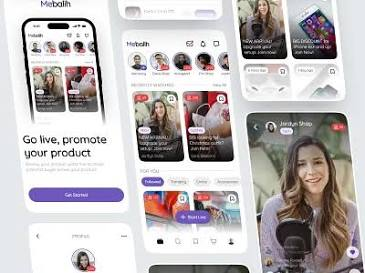
Trên trang chủ Shopee Desktop (1200px), khu vực Shopee Live & Video chia thành 5 cột khung dọc (repeat(5, 1fr)) — vừa khít chiều ngang 1200px với chiều cao mỗi thẻ khoảng 390px:
Plaintext
+---------------------------------------+
| [ ||| LIVE | 👁 18,4k ]               |  <-- Tầng Trên (Top Overlay): Huy hiệu LIVE + Sóng âm + Mắt xem
|                                       |
|                                       |
|        ( ẢNH / VIDEO DỌC 9:16 )       |  <-- Nền Video / Thumbnail tỷ lệ aspect-ratio: 9 / 16
|                                       |
|                                       |
|  (▶️ Nút Play phóng to nhẹ khi Hover)  |
|                                       |
|  Đập hộp & Test Switch AULA F75 Pro   |  <-- Tầng Dưới (Bottom Scrim): Tiêu đề phiên Live + Avatar Shop
|  (O) AULA Official Store VN           |
|  +---------------------------------+  |
|  | [📦] Bàn phím AULA F75... ₫799k |  |  <-- Thẻ Sản Phẩm Ghim (Pinned Product Glass Card)
|  +---------------------------------+  |
+---------------------------------------+
Thành phần trong .live-video-card |
Kỹ thuật CSS cốt lõi | Giải thích cơ chế thị giác |
|---|---|---|
| Tỷ lệ khung dọc chuẩn TikTok / Shopee Live | aspect-ratio: 9 / 16; border-radius: 0.8rem; overflow: hidden; |
Khóa tỷ lệ chiều rộng : chiều cao đúng chuẩn 9 : 16 ở mọi kích thước màn hình. |
| 3 Cột sóng âm thanh động ( .live-equalizer span) |
@keyframes soundWave thay đổi transform: scaleY(0.35) scaleY(1) với animation-delay lệch pha (0s, 0.2s, 0.4s) |
Dùng scaleY kết hợp transform-origin: bottom để 3 thanh trắng nhỏ nhấp nhô lên xuống như cột sóng nhạc mà không gây giật layout! |
| Lớp phủ tối đáy ảnh ( .live-card__overlay) |
background: linear-gradient(180deg, rgba(0,0,0,0.18) 0%, transparent 35%, rgba(0,0,0,0.82) 100%); |
Tạo bóng tối nhẹ ở đỉnh (làm nổi số mắt xem) và đậm dần ở đáy (làm nổi chữ trắng & thẻ sản phẩm ghim). |
2. Thực hành: Code Khu Vực "Shopee Live & Video" (index.html & main.css)
Bước 1: Bổ sung HTML Khối .shopee-live-section vào index.html
Hãy mở file index.html, tìm đến bên trong <div class="shopee-container grid-container"> (vị trí chuẩn nhất là đặt ngay bên dưới khối </section> của Tìm Kiếm Hàng Đầu - Bài 36 và phía trên mục Gợi Ý Hôm Nay) và chèn toàn bộ đoạn code Khu vực Shopee Live & Video dưới đây:
HTML
<!-- ================================================================= -->
<!-- BÀI 47: KHU VỰC SHOPEE LIVE & VIDEO FEED (KHUNG DỌC TỶ LỆ 9:16) -->
<!-- ================================================================= -->
<section class="shopee-live-section">
<!-- 1. Header Shopee Live & Video -->
<header class="section-header live-section-header">
<div class="live-header__left">
<h2 class="section-title live-section-title">SHOPEE LIVE & VIDEO</h2>
<span class="live-header-badge">
<span class="live-dot-pulse"></span> Săn Voucher 50% Trên Live
</span>
</div>
<a href="#" class="section-view-all">
Xem tất cả <i class="fa-solid fa-chevron-right"></i>
</a>
</header>
<!-- 2. Lưới 5 Cột Thẻ Livestream Dọc 9:16 (.live-video-grid) -->
<div class="live-video-grid">
<!-- THẺ LIVE 1: Đang phát trực tiếp (LIVE + Sóng âm + Sản phẩm ghim) -->
<article class="live-video-card">
<a href="#" class="live-video-card__link">
<!-- Ảnh bìa dọc 9:16 -->
<img src="https://placehold.co/360x640/2b1015/ffffff?text=LIVE+TEST+BAN+PHIM%0AAULA+F75+PRO" alt="Livestream AULA F75 Pro" class="live-video-card__bg">
<!-- Lớp phủ Gradient trên/dưới -->
<div class="live-card__overlay">
<!-- Tầng trên: Huy hiệu LIVE động + Bộ đếm mắt xem -->
<div class="live-card__top">
<div class="live-pill-badge">
<!-- 3 cột sóng âm thanh nhấp nhô -->
<span class="live-equalizer" aria-hidden="true">
<span></span>
<span></span>
<span></span>
</span>
<span>LIVE</span>
</div>
<div class="live-viewer-pill">
<i class="fa-regular fa-eye"></i>
<span>18,4k</span>
</div>
</div>
<!-- Nút Play tròn ở giữa (Phóng to nhẹ khi rê chuột vào thẻ) -->
<div class="live-center-play">
<i class="fa-solid fa-play"></i>
</div>
<!-- Tầng dưới: Tiêu đề buổi Live + Tên Shop + Thẻ sản phẩm ghim -->
<div class="live-card__bottom">
<h3 class="live-stream-title">Soundtest thực tế AULA F75 Pro & Phát mã giảm 50% độc quyền!</h3>
<div class="live-streamer-info">
<img src="https://placehold.co/48x48/ee4d2d/ffffff?text=A" alt="Avatar AULA" class="live-streamer-avatar">
<span class="live-streamer-name">AULA Official Store VN</span>
</div>
<!-- Thẻ Sản Phẩm Ghim (Pinned Product Card) ở đáy -->
<div class="live-pinned-product">
<img src="https://placehold.co/80x80/ee4d2d/ffffff?text=F75" alt="Sản phẩm ghim" class="pinned-product__img">
<div class="pinned-product__info">
<p class="pinned-product__name">Bàn phím cơ AULA F75 Pro</p>
<span class="pinned-product__price">₫799.000</span>
</div>
<span class="pinned-product__bag">
<i class="fa-solid fa-bag-shopping"></i>
</span>
</div>
</div>
</div>
</a>
</article>
<!-- THẺ LIVE 2: Đang phát trực tiếp -->
<article class="live-video-card">
<a href="#" class="live-video-card__link">
<img src="https://placehold.co/360x640/10253f/ffffff?text=LIVE+DEAL+MAN+HINH%0ALG+ULTRAGEAR+180HZ" alt="Livestream Màn hình LG" class="live-video-card__bg">
<div class="live-card__overlay">
<div class="live-card__top">
<div class="live-pill-badge">
<span class="live-equalizer" aria-hidden="true">
<span></span>
<span></span>
<span></span>
</span>
<span>LIVE</span>
</div>
<div class="live-viewer-pill">
<i class="fa-regular fa-eye"></i>
<span>9,2k</span>
</div>
</div>
<div class="live-center-play">
<i class="fa-solid fa-play"></i>
</div>
<div class="live-card__bottom">
<h3 class="live-stream-title">Trải nghiệm chiến game 180Hz trên LG UltraGear — Giảm sốc 1 Triệu</h3>
<div class="live-streamer-info">
<img src="https://placehold.co/48x48/d0011b/ffffff?text=LG" alt="Avatar LG" class="live-streamer-avatar">
<span class="live-streamer-name">LG Official Flagship</span>
</div>
<div class="live-pinned-product">
<img src="https://placehold.co/80x80/d0011b/ffffff?text=27%22" alt="Màn hình LG" class="pinned-product__img">
<div class="pinned-product__info">
<p class="pinned-product__name">Màn hình LG 27GS60F-B</p>
<span class="pinned-product__price">₫3.690.000</span>
</div>
<span class="pinned-product__bag">
<i class="fa-solid fa-bag-shopping"></i>
</span>
</div>
</div>
</div>
</a>
</article>
<!-- THẺ LIVE 3: Đang phát trực tiếp -->
<article class="live-video-card">
<a href="#" class="live-video-card__link">
<img src="https://placehold.co/360x640/0a3630/ffffff?text=LIVE+SETUP+GOC+LAM+VIEC" alt="Livestream Setup" class="live-video-card__bg">
<div class="live-card__overlay">
<div class="live-card__top">
<div class="live-pill-badge">
<span class="live-equalizer" aria-hidden="true">
<span></span>
<span></span>
<span></span>
</span>
<span>LIVE</span>
</div>
<div class="live-viewer-pill">
<i class="fa-regular fa-eye"></i>
<span>24,1k</span>
</div>
</div>
<div class="live-center-play">
<i class="fa-solid fa-play"></i>
</div>
<div class="live-card__bottom">
<h3 class="live-stream-title">Gợi ý Setup góc làm việc tối giản dưới 2 triệu đồng cho dân Dev</h3>
<div class="live-streamer-info">
<img src="https://placehold.co/48x48/00bfa5/ffffff?text=S" alt="Avatar Setup" class="live-streamer-avatar">
<span class="live-streamer-name">Góc Setup Công Nghệ</span>
</div>
<div class="live-pinned-product">
<img src="https://placehold.co/80x80/00bfa5/ffffff?text=Arm" alt="Arm Màn Hình" class="pinned-product__img">
<div class="pinned-product__info">
<p class="pinned-product__name">Giá đỡ màn hình Human Motion</p>
<span class="pinned-product__price">₫459.000</span>
</div>
<span class="pinned-product__bag">
<i class="fa-solid fa-bag-shopping"></i>
</span>
</div>
</div>
</div>
</a>
</article>
<!-- THẺ VIDEO NGẮN 4: Shopee Video (Huy hiệu VIDEO màu tím xanh) -->
<article class="live-video-card">
<a href="#" class="live-video-card__link">
<img src="https://placehold.co/360x640/2d1b4e/ffffff?text=SHOPEE+VIDEO%0AREVIEW+TAI+NGHE+ANC" alt="Shopee Video Review" class="live-video-card__bg">
<div class="live-card__overlay">
<div class="live-card__top">
<div class="live-pill-badge live-pill-badge--video">
<i class="fa-solid fa-clapperboard"></i>
<span>VIDEO</span>
</div>
<div class="live-viewer-pill">
<i class="fa-solid fa-heart"></i>
<span>45,6k</span>
</div>
</div>
<div class="live-center-play">
<i class="fa-solid fa-play"></i>
</div>
<div class="live-card__bottom">
<h3 class="live-stream-title">Test khả năng chống ồn chủ động ANC của Sony XM5 ngoài quán cafe!</h3>
<div class="live-streamer-info">
<img src="https://placehold.co/48x48/7b1fa2/ffffff?text=R" alt="Avatar Reviewer" class="live-streamer-avatar">
<span class="live-streamer-name">Review Công Nghệ Thật</span>
</div>
<div class="live-pinned-product">
<img src="https://placehold.co/80x80/7b1fa2/ffffff?text=XM5" alt="Tai nghe Sony" class="pinned-product__img">
<div class="pinned-product__info">
<p class="pinned-product__name">Tai nghe Sony WH-1000XM5</p>
<span class="pinned-product__price">₫6.490.000</span>
</div>
<span class="pinned-product__bag">
<i class="fa-solid fa-bag-shopping"></i>
</span>
</div>
</div>
</div>
</a>
</article>
<!-- THẺ VIDEO NGẮN 5: Shopee Video -->
<article class="live-video-card">
<a href="#" class="live-video-card__link">
<img src="https://placehold.co/360x640/3b260b/ffffff?text=SHOPEE+VIDEO%0ASAC+NHANH+GAN+140W" alt="Shopee Video Anker" class="live-video-card__bg">
<div class="live-card__overlay">
<div class="live-card__top">
<div class="live-pill-badge live-pill-badge--video">
<i class="fa-solid fa-clapperboard"></i>
<span>VIDEO</span>
</div>
<div class="live-viewer-pill">
<i class="fa-solid fa-heart"></i>
<span>31,8k</span>
</div>
</div>
<div class="live-center-play">
<i class="fa-solid fa-play"></i>
</div>
<div class="live-card__bottom">
<h3 class="live-stream-title">Đo công suất sạc thực tế củ sạc Anker GaN 140W cho MacBook Pro</h3>
<div class="live-streamer-info">
<img src="https://placehold.co/48x48/ff9800/ffffff?text=K" alt="Avatar Tech" class="live-streamer-avatar">
<span class="live-streamer-name">Kỹ Thuật Điện Tử VN</span>
</div>
<div class="live-pinned-product">
<img src="https://placehold.co/80x80/ff9800/ffffff?text=140W" alt="Sạc Anker" class="pinned-product__img">
<div class="pinned-product__info">
<p class="pinned-product__name">Củ sạc nhanh Anker 140W</p>
<span class="pinned-product__price">₫1.250.000</span>
</div>
<span class="pinned-product__bag">
<i class="fa-solid fa-bag-shopping"></i>
</span>
</div>
</div>
</div>
</a>
</article>
</div>
</section>
Bước 2: Viết CSS cho Sóng Âm Thanh LIVE & Thẻ Video Dọc 9:16 trong ./assets/css/main.css
Hãy mở file main.css, cuộn xuống dưới cùng và bổ sung đoạn code CSS của Bài 47 dưới đây:
CSS
/* Bổ sung vào cuối file ./assets/css/main.css */

/* --- BÀI 47: KHU VỰC SHOPEE LIVE & VIDEO FEED (KHUNG DỌC TỶ LỆ 9:16) --- */

/* 1. Animation 3 cột sóng âm thanh nhấp nhô trong huy hiệu LIVE */
@keyframes soundWave {
    0%, 100% {
        transform: scaleY(0.35);
    }
    50% {
        transform: scaleY(1);
    }
}

/* 2. Animation chấm đỏ phát sóng nhấp nháy */
@keyframes livePulseDot {
    0% {
        box-shadow: 0 0 0 0 rgba(238, 77, 45, 0.7);
    }
    70% {
        box-shadow: 0 0 0 0.6rem rgba(238, 77, 45, 0);
    }
    100% {
        box-shadow: 0 0 0 0 rgba(238, 77, 45, 0);
    }
}

.shopee-live-section {
    background-color: var(--white-color);
    margin-top: 2rem;
    border-radius: 2px;
    box-shadow: 0 1px 2px 0 rgba(0, 0, 0, 0.05);
}

.live-header__left {
    display: flex;
    align-items: center;
    gap: 1.4rem;
}

.live-section-title {
    color: var(--shopee-primary);
}

.live-header-badge {
    background-color: var(--shopee-primary-light);
    color: var(--shopee-primary);
    font-size: 1.25rem;
    font-weight: 500;
    padding: 0.3rem 1rem;
    border-radius: 2rem;
    display: inline-flex;
    align-items: center;
    gap: 0.8rem;
}

.live-dot-pulse {
    width: 0.8rem;
    height: 0.8rem;
    border-radius: 50%;
    background-color: var(--shopee-primary);
    animation: livePulseDot 1.6s infinite;
}

/* Lưới 5 Cột Thẻ Livestream Dọc 9:16 */
.live-video-grid {
    padding: 1.6rem 2rem 2rem;
    display: grid;
    grid-template-columns: repeat(5, 1fr);
    gap: 1.4rem;
}

.live-video-card {
    border-radius: 0.8rem;
    overflow: hidden;
    position: relative;
    aspect-ratio: 9 / 16;             /* Tỷ lệ khung dọc chuẩn Smartphone & TikTok/Shopee Live! */
    box-shadow: 0 2px 8px rgba(0, 0, 0, 0.12);
    background-color: #1a1a1a;
}

.live-video-card__link {
    display: block;
    width: 100%;
    height: 100%;
    position: relative;
}

.live-video-card__bg {
    width: 100%;
    height: 100%;
    object-fit: cover;
    transition: transform 0.35s cubic-bezier(0.22, 1, 0.36, 1);
}

/* Phóng nhẹ khung hình Video khi rê chuột vào thẻ */
.live-video-card:hover .live-video-card__bg {
    transform: scale(1.05);
}

/* Lớp phủ Gradient bảo vệ độ tương phản chữ ở đỉnh & đáy khung Video */
.live-card__overlay {
    position: absolute;
    inset: 0;                       /* Viết tắt của top: 0; right: 0; bottom: 0; left: 0; */
    background-image: linear-gradient(
        180deg,
        rgba(0, 0, 0, 0.35) 0%,
        transparent 28%,
        transparent 52%,
        rgba(0, 0, 0, 0.88) 100%
    );
    padding: 1rem;
    display: flex;
    flex-direction: column;
    justify-content: space-between;
}

/* ================================================================= */
/* TẦNG TRÊN: HUY HIỆU LIVE CÓ SÓNG ÂM THANH & BỘ ĐẾM MẮT XEM        */
/* ================================================================= */
.live-card__top {
    display: flex;
    align-items: center;
    gap: 0.4rem;
}

.live-pill-badge {
    height: 2rem;
    padding: 0 0.7rem;
    border-radius: 0.4rem;
    background-image: linear-gradient(90deg, #ff2a5f 0%, #ee4d2d 100%);
    color: var(--white-color);
    font-size: 1.05rem;
    font-weight: 700;
    letter-spacing: 0.04rem;
    display: inline-flex;
    align-items: center;
    gap: 0.4rem;
}

/* Huy hiệu VIDEO ngắn (Màu tím xanh hiện đại) */
.live-pill-badge--video {
    background-image: linear-gradient(90deg, #651fff 0%, #00b0ff 100%);
}

/* 3 Cột sóng âm thanh động (Equalizer Bars) */
.live-equalizer {
    display: inline-flex;
    align-items: flex-end;
    gap: 0.2rem;
    height: 1rem;
}

.live-equalizer span {
    width: 0.2rem;
    height: 100%;
    background-color: var(--white-color);
    border-radius: 1px;
    transform-origin: bottom;
    animation: soundWave 0.75s ease-in-out infinite;
}

.live-equalizer span:nth-child(2) {
    animation-delay: 0.22s;          /* Lệch pha 0.22s tạo nhịp sóng nhấp nhô tự nhiên! */
}

.live-equalizer span:nth-child(3) {
    animation-delay: 0.44s;
}

/* Bộ đếm số người đang xem */
.live-viewer-pill {
    height: 2rem;
    padding: 0 0.7rem;
    border-radius: 0.4rem;
    background-color: rgba(0, 0, 0, 0.45);
    backdrop-filter: blur(4px);
    color: var(--white-color);
    font-size: 1.1rem;
    font-weight: 500;
    display: inline-flex;
    align-items: center;
    gap: 0.4rem;
}

/* Nút Play tròn ở tâm thẻ Video */
.live-center-play {
    position: absolute;
    top: 42%;
    left: 50%;
    transform: translate(-50%, -50%) scale(0.9);
    width: 4.2rem;
    height: 4.2rem;
    border-radius: 50%;
    background-color: rgba(0, 0, 0, 0.42);
    border: 1.5px solid rgba(255, 255, 255, 0.8);
    color: var(--white-color);
    font-size: 1.5rem;
    display: flex;
    align-items: center;
    justify-content: center;
    padding-left: 0.2rem;            /* Bù quang học để hình tam giác Play nằm chính tâm vòng tròn! */
    opacity: 0.85;
    transition: all 0.2s ease;
}

.live-video-card:hover .live-center-play {
    background-color: var(--shopee-primary);
    border-color: var(--shopee-primary);
    transform: translate(-50%, -50%) scale(1.06);
    opacity: 1;
}

/* ================================================================= */
/* TẦNG DƯỚI: TIÊU ĐỀ BUỔI LIVE & THẺ SẢN PHẨM GHIM PHỦ KÍNH MỜ      */
/* ================================================================= */
.live-card__bottom {
    color: var(--white-color);
}

.live-stream-title {
    font-size: 1.3rem;
    font-weight: 500;
    line-height: 1.7rem;
    margin-bottom: 0.8rem;
    display: -webkit-box;
    -webkit-line-clamp: 2;
    -webkit-box-orient: vertical;
    overflow: hidden;
    text-shadow: 0 1px 2px rgba(0, 0, 0, 0.5);
}

.live-streamer-info {
    display: flex;
    align-items: center;
    gap: 0.6rem;
    margin-bottom: 1rem;
}

.live-streamer-avatar {
    width: 2rem;
    height: 2rem;
    border-radius: 50%;
    border: 1px solid var(--white-color);
    object-fit: cover;
    flex-shrink: 0;
}

.live-streamer-name {
    font-size: 1.15rem;
    color: rgba(255, 255, 255, 0.9);
    white-space: nowrap;
    overflow: hidden;
    text-overflow: ellipsis;
}

/* Thẻ Sản Phẩm Ghim (Pinned Product Card) ở sát đáy khung Video */
.live-pinned-product {
    background-color: rgba(255, 255, 255, 0.92);
    backdrop-filter: blur(6px);
    border-radius: 0.6rem;
    padding: 0.5rem;
    display: flex;
    align-items: center;
    gap: 0.6rem;
    box-shadow: 0 2px 8px rgba(0, 0, 0, 0.25);
}

.pinned-product__img {
    width: 3.6rem;
    height: 3.6rem;
    border-radius: 0.4rem;
    object-fit: cover;
    flex-shrink: 0;
}

.pinned-product__info {
    flex: 1;
    min-width: 0;
}

.pinned-product__name {
    font-size: 1.1rem;
    color: var(--text-primary);
    white-space: nowrap;
    overflow: hidden;
    text-overflow: ellipsis;
    margin-bottom: 0.1rem;
}

.pinned-product__price {
    display: block;
    font-size: 1.2rem;
    font-weight: 700;
    color: var(--shopee-primary);
}

.pinned-product__bag {
    width: 2.4rem;
    height: 2.4rem;
    border-radius: 0.4rem;
    background-color: var(--shopee-primary);
    color: var(--white-color);
    font-size: 1.1rem;
    display: flex;
    align-items: center;
    justify-content: center;
    flex-shrink: 0;
}
Bước 3: Bổ sung quy tắc Vuốt Ngang (Scroll Snap) cho .live-video-grid trên Tablet & Mobile
Mở file ./assets/css/responsive.css và bổ sung quy tắc chuyển lưới 5 cột video dọc sang thanh vuốt ngang mượt mà trên điện thoại & máy tính bảng:
CSS
/* Bổ sung vào cuối khối @media (max-width: 1023px) trong ./assets/css/responsive.css */
    .live-video-grid {
        display: flex;
        overflow-x: auto;
        scroll-snap-type: x mandatory;
        padding: 1.2rem;
    }

    .live-video-grid::-webkit-scrollbar {
        display: none;
    }

    .live-video-card {
        flex: 0 0 28%;              /* Trên iPad hiển thị ~3.5 thẻ video dọc */
        scroll-snap-align: start;
    }

/* Bổ sung vào cuối khối @media (max-width: 739px) trong ./assets/css/responsive.css */
    .live-video-card {
        flex: 0 0 46%;              /* Trên Điện thoại hiển thị 2 thẻ dọc + lấp ló thẻ thứ 3 */
    }
3. Giải mã dòng code: 3 Chi tiết "Bậc thầy UI/UX" trong Bài 47
-
Bù quang học (
padding-left: 0.2rem) cho biểu tượng Tam giác Play bên trong vòng tròn.live-center-play:-
Đây là một nguyên lý kinh điển trong thiết kế đồ họa (Optical Alignment vs Mathematical Alignment): Một hình tam giác đều hướng mũi nhọn sang phải (
▶) có trọng tâm khối lượng nằm dồn về phía cạnh thẳng đứng bên trái! -
Nếu bạn chỉ căn giữa toán học bằng Flexbox (
justify-content: center), mắt người sẽ cảm thấy biểu tượng▶bị lệch sang bên trái của vòng tròn. Thêmpadding-left: 0.2rem;(2px) dịch chuyển nhẹ tam giác sang phải giúp nó nằm chính tâm thị giác tuyệt đối!
-
-
Dải chuyển sắc 4 điểm dừng của
.live-card__overlay:-
Thay vì phủ một lớp màn đen đều từ trên xuống dưới làm tối sầm cả bức ảnh/video, chúng ta chia dải gradient làm 3 vùng:
-
0% -> 28%: Hơi tối nhẹ (0.350) để làm nổi bật cụm huy hiệuLIVEvà số mắt xem ở đỉnh. -
28% -> 52%: Trong suốt 100% (transparent) để giữ nguyên độ sáng rực rỡ cho gương mặt Streamer hoặc sản phẩm ở trung tâm khung hình! -
52% -> 100%: Đậm dần xuốngrgba(0, 0, 0, 0.88)làm nền vững chắc cho tiêu đề 2 dòng và thẻ sản phẩm ghim bên dưới!
-
-
-
Thuộc tính viết tắt hiện đại
inset: 0:- Thay vì gõ dài dòng 4 dòng
top: 0; right: 0; bottom: 0; left: 0;, cú phápinset: 0;giúp lớp phủ.live-card__overlaycăng khít 4 cạnh của thẻ video chỉ trong 1 từ khóa ngắn gọn.
- Thay vì gõ dài dòng 4 dòng
4. Bài tập trải nghiệm thực tế & Hẹn gặp ở Bài 48!
Hãy lưu lại toàn bộ các file (index.html, main.css, responsive.css) và nhấn F5 trên trình duyệt!
-
Cuộn tới khu vực SHOPEE LIVE & VIDEO (Bài 47):
-
Quan sát 3 thẻ đầu tiên: Cột sóng âm thanh bên cạnh chữ
LIVEnhấp nhô nhịp nhàng liên tục, ở đáy thẻ là chiếc Thẻ sản phẩm ghim sắc nét kèm icon túi mua sắm màu cam! -
Rê chuột lên từng thẻ video để thấy khung hình phóng nhẹ
1.05và nút Play tròn ở giữa chuyển sang màu Cam Shopee!
-
-
Bật
F12chuyển sang chế độ iPhone 12 Pro (390px) để vuốt ngang mượt mà dãy thẻ video dọc9:16như đang lướt trên App Shopee thật!
Ở Bài 48, chúng ta sẽ tiếp tục nâng cấp một tính năng săn sale cực kỳ kịch tính trên trang chủ Shopee: Nâng Cấp Khu Vực Flash Sale Với Thanh Chọn 5 Khung Giờ Vàng (Multi-Slot Flash Sale Schedule Tabs: 00:00 Đang diễn ra | 09:00 Sắp diễn ra | 12:00 | 18:00 | 21:00) — cho phép người dùng bấm chuyển đổi danh sách sản phẩm săn sale theo từng khung giờ bằng CSS Radio Tabs!
All rights reserved