[Series 100 Bài Học HTML/CSS Thực Chiến - Bài 41]: Xây Dựng Phần Thân Trang Gian Hàng (Shop Product Grid & Storefront Filtering) — Khu Vực Voucher Độc Quyền Của Shop & Lưới Sản Phẩm 5 Cột Nội Bộ
Ở Bài 40, chúng ta đã dựng xong phần "mặt tiền" của Trang Gian Hàng Chính Hãng (Shopee Mall Storefront) gồm Ảnh bìa chiến dịch, Thẻ thông tin Shop phủ kính mờ (Glassmorphism) và Thanh Menu điều hướng 6 tab.
Khi khách hàng cuộn xuống bên dưới thanh Menu của một Gian hàng lớn (ví dụ: AULA Official Store VN), trải nghiệm mua sắm được chia thành 2 khu vực chiến lược:
-
Dải Voucher Độc Quyền Của Shop (
Shop Exclusive Vouchers): Nằm ngay đầu trang trên nền cam phấn/đỏ hồng nhạt (#fff4f4) để khách hàng bấm "Lưu" mã giảm giá của riêng Shop đó trước khi dạo xem hàng. -
Bố cục Danh Mục Nội Bộ & Lưới 5 Cột Sản Phẩm (
200px Shop Sidebar : 1fr 5-Column Product Grid):-
Cột Trái (
200px): Menu phân nhóm sản phẩm nội bộ do chủ Shop tự tạo (Tất Cả Sản Phẩm, Bàn Phím Cơ 75%, Bàn Phím Fullsize, Chuột Gaming, Switch & Keycap). -
Cột Phải (
flex: 1): Thanh lọc nhanh (Phổ biến | Mới nhất | Bán chạy | Giá) tích hợp Dropdown chọn Giá khi rê chuột và Lưới 5 cột sản phẩm (repeat(5, 1fr))!
-
1. Giải phẫu Bố cục Thân Gian Hàng: Tại sao Lưới Sản Phẩm trong Shop dùng 5 Cột thay vì 6 Cột?
Trong thiết kế giao diện danh mục cửa hàng trực tuyến (Storefront Product Catalog & Filter Layout), việc đặt thanh danh mục con ở bên trái kết hợp thanh sắp xếp ở phía trên giúp khách hàng thu hẹp phạm vi tìm kiếm trong hàng trăm mặt hàng của Shop:
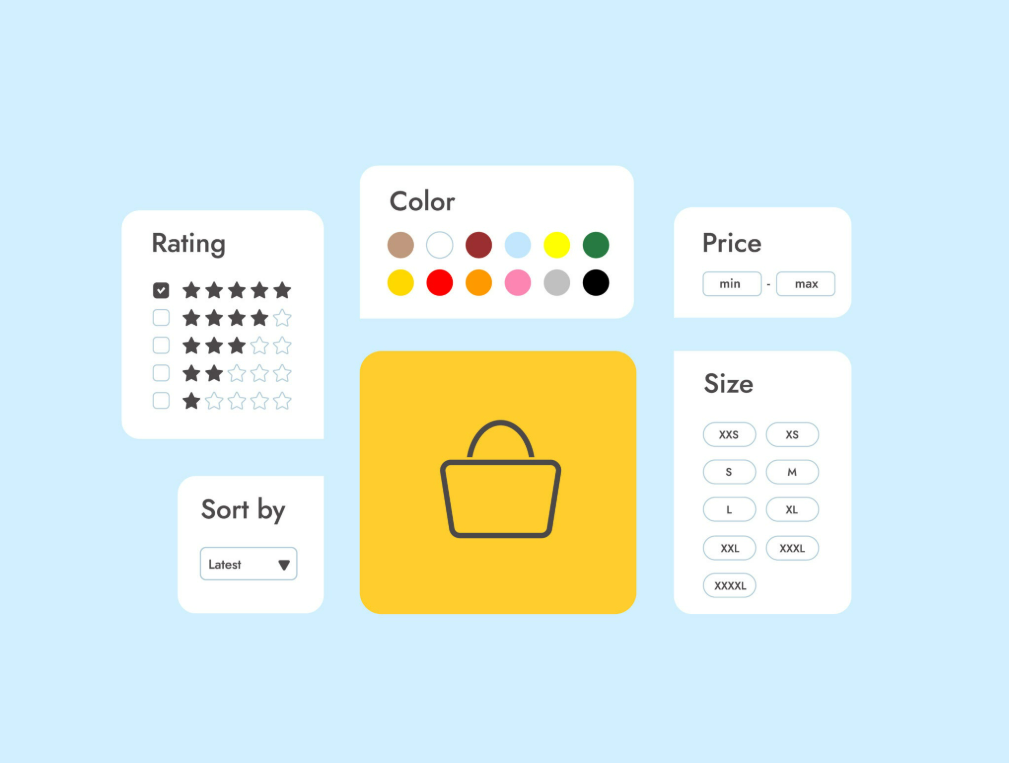
Hãy nhìn vào bài toán chia cột trên khung chuẩn 1200px của Shopee:
-
Ở Trang chủ (Bài 14): Không có cột Sidebar bên trái, toàn bộ chiều rộng
1200pxđược chia cho 6 cột sản phẩm ( mỗi thẻ rộng ). -
Ở Thân Trang Gian Hàng (Bài 41): Cột danh mục bên trái (
.storefront-sidebar) đã chiếm mất200pxcộng với khoảng hở20pxcòn lại980pxcho phần hiển thị sản phẩm. -
Nếu bạn cố nhồi 6 cột vào
980px, mỗi thẻ sản phẩm chỉ còn rộng khoảng150px— quá hẹp để hiển thị nhãn Mall, nhãn Giảm ₫50k và giá tiền! Do đó, khi chia thành 5 cột (grid-template-columns: repeat(5, 1fr)), mỗi thẻ sản phẩm có chiều rộng vàng là188px, đồng bộ kích thước 100% với thẻ sản phẩm ngoài trang chủ!
Plaintext
|<--------------------------------------- KHUNG 1200PX --------------------------------------->|
+----------------------+-----------------------------------------------------------------------+
|  DANH MỤC SHOP       |  Sắp xếp theo: [Phổ biến] [Mới nhất] [Bán chạy] [Giá: Thấp->Cao ▾]    |
|  (Rộng 200px)        +-------------+-------------+-------------+-------------+---------------+
|                      |  [SP Shop 1]|  [SP Shop 2]|  [SP Shop 3]|  [SP Shop 4]|  [SP Shop 5]  |
|  ▶ Tất cả sản phẩm   |  (Rộng ~188)|  (Rộng ~188)|  (Rộng ~188)|  (Rộng ~188)|  (Rộng ~188)  |
|    Bàn Phím 75%      |   ₫850.000  |   ₫920.000  |   ₫690.000  |  ₫1.150.000 |   ₫389.000    |
|    Bàn Phím 98%      +-------------+-------------+-------------+-------------+---------------+
|    Chuột Gaming      |  [SP Shop 6]|  [SP Shop 7]|  [SP Shop 8]|  [SP Shop 9]|  [SP Shop 10] |
|    Keycap & Switch   |     ...     |     ...     |     ...     |     ...     |      ...      |
+----------------------+-------------+-------------+-------------+-------------+---------------+
Khu vực trong .storefront-body |
Khai báo CSS cốt lõi | Điểm nhấn kỹ thuật |
|---|---|---|
Khối Voucher của Shop (.shop-voucher-strip) |
display: grid;grid-template-columns: repeat(3, 1fr); |
Mỗi vé nằm trên nền hồng kem #fff4f4 viền #fbc9c4 kèm rãnh răng cưa bán nguyệt đặc trưng của Voucher nội bộ Gian hàng. |
Mục đang chọn ở Sidebar (.shop-cat-link--active) |
color: var(--shopee-mall-red);+ Mũi tên tam giác ::before |
Dùng phần tử giả ::before vẽ mũi tên tam giác nhỏ (border: 4px solid) chỉ thẳng vào danh mục đang xem. |
Hộp chọn Giá trên Sort Bar (.sort-price-select) |
position: relative;+ Menu con position: absolute; top: calc(100% + 1px); |
Khi rê chuột (:hover) vào ô Giá, menu con xổ xuống 2 tùy chọn: Giá: Thấp đến Cao và Giá: Cao đến Thấp. |
2. Thực hành: Code Khu Vực Voucher Của Shop & Lưới 5 Cột Sản Phẩm Gian Hàng
Bước 1: Bổ sung HTML Thân Trang Gian Hàng vào index.html
Hãy mở file index.html, tìm đến thẻ <section class="storefront-section"> mà chúng ta đã tạo ở Bài 40. Ngay bên dưới thẻ đóng </nav> của .storefront-nav-bar (nhưng vẫn nằm bên trong <section class="storefront-section">), bạn hãy chèn tiếp khối Voucher Của Shop và Bố cục 2 Cột Danh Mục + Lưới 5 Sản Phẩm dưới đây:
HTML
<!-- 3. DẢI MÃ GIẢM GIÁ ĐỘC QUYỀN CỦA GIAN HÀNG (SHOP VOUCHER STRIP - BÀI 41) -->
<div class="shop-voucher-box">
<h3 class="shop-voucher-box__title">MÃ GIẢM GIÁ CỦA SHOP</h3>
<div class="shop-voucher-strip">
<!-- Voucher Shop 1 -->
<div class="shop-mini-voucher">
<div class="shop-mini-voucher__left">
<strong class="shop-mini-voucher__discount">Giảm ₫30k</strong>
<p class="shop-mini-voucher__cond">Đơn Tối Thiểu ₫299k</p>
<span class="shop-mini-voucher__exp">HSD: 30.11.2026</span>
</div>
<div class="shop-mini-voucher__right">
<button type="button" class="btn shop-mini-voucher__btn">Lưu</button>
</div>
</div>
<!-- Voucher Shop 2 -->
<div class="shop-mini-voucher">
<div class="shop-mini-voucher__left">
<strong class="shop-mini-voucher__discount">Giảm ₫70k</strong>
<p class="shop-mini-voucher__cond">Đơn Tối Thiểu ₫799k</p>
<span class="shop-mini-voucher__exp">HSD: 30.11.2026</span>
</div>
<div class="shop-mini-voucher__right">
<button type="button" class="btn shop-mini-voucher__btn">Lưu</button>
</div>
</div>
<!-- Voucher Shop 3 -->
<div class="shop-mini-voucher">
<div class="shop-mini-voucher__left">
<strong class="shop-mini-voucher__discount">Giảm 10%</strong>
<p class="shop-mini-voucher__cond">Đơn Tối Thiểu ₫1.200k (Tối đa ₫150k)</p>
<span class="shop-mini-voucher__exp">Dành cho Follower mới</span>
</div>
<div class="shop-mini-voucher__right">
<button type="button" class="btn shop-mini-voucher__btn">Lưu</button>
</div>
</div>
</div>
</div>
<!-- 4. THÂN GIAN HÀNG: CỘT TRÁI (DANH MỤC SHOP 200PX) + CỘT PHẢI (BỘ LỌC & LƯỚI 5 CỘT) -->
<div class="storefront-catalog-layout">
<!-- CỘT TRÁI (200PX): DANH MỤC NỘI BỘ CỦA SHOP -->
<aside class="storefront-sidebar">
<h3 class="storefront-sidebar__heading">
<i class="fa-solid fa-list-ul"></i> Danh Mục Shop
</h3>
<ul class="shop-cat-list">
<li class="shop-cat-item">
<a href="#" class="shop-cat-link shop-cat-link--active">Tất Cả Sản Phẩm</a>
</li>
<li class="shop-cat-item">
<a href="#" class="shop-cat-link">Bàn Phím Cơ Hotswap 75%</a>
</li>
<li class="shop-cat-item">
<a href="#" class="shop-cat-link">Bàn Phím Cơ Fullsize / 98%</a>
</li>
<li class="shop-cat-item">
<a href="#" class="shop-cat-link">Bàn Phím Từ Tính HE (Rapid Trigger)</a>
</li>
<li class="shop-cat-item">
<a href="#" class="shop-cat-link">Chuột Gaming Không Dây 3 Mode</a>
</li>
<li class="shop-cat-item">
<a href="#" class="shop-cat-link">Tai Nghe & Phụ Kiện Custom</a>
</li>
</ul>
</aside>
<!-- CỘT PHẢI (FLEX: 1): THANH SẮP XẾP & LƯỚI 5 CỘT SẢN PHẨM CỦA SHOP -->
<div class="storefront-main-catalog">
<!-- A. Thanh Sắp Xếp Sản Phẩm (Storefront Sort Bar) -->
<div class="storefront-sort-bar">
<span class="storefront-sort__label">Sắp xếp theo</span>
<div class="storefront-sort__options">
<!-- Dùng Radio Hack để bấm chuyển đổi nút Sắp xếp ngay lập tức! -->
<label class="sort-radio-item">
<input type="radio" name="shop-sort" class="sort-radio-input" checked>
<span class="btn sort-radio-btn">Phổ Biến</span>
</label>
<label class="sort-radio-item">
<input type="radio" name="shop-sort" class="sort-radio-input">
<span class="btn sort-radio-btn">Mới Nhất</span>
</label>
<label class="sort-radio-item">
<input type="radio" name="shop-sort" class="sort-radio-input">
<span class="btn sort-radio-btn">Bán Chạy</span>
</label>
<!-- Hộp Dropdown chọn sắp xếp theo Giá khi Hover -->
<div class="sort-price-select">
<span class="sort-price-select__label">Giá</span>
<i class="fa-solid fa-chevron-down sort-price-select__icon"></i>
<ul class="sort-price-dropdown">
<li class="sort-price-option">
<a href="#">Giá: Thấp đến Cao</a>
<i class="fa-solid fa-check"></i>
</li>
<li class="sort-price-option">
<a href="#">Giá: Cao đến Thấp</a>
</li>
</ul>
</div>
</div>
<!-- Cụm điều hướng trang nhanh góc phải (1/4) -->
<div class="storefront-sort__paginate">
<span class="paginate-num">
<strong class="paginate-current">1</strong>/4
</span>
<div class="paginate-btns">
<button type="button" class="paginate-btn paginate-btn--disabled" disabled aria-label="Trang trước">
<i class="fa-solid fa-chevron-left"></i>
</button>
<button type="button" class="paginate-btn" aria-label="Trang sau">
<i class="fa-solid fa-chevron-right"></i>
</button>
</div>
</div>
</div>
<!-- B. LƯỚI 5 CỘT SẢN PHẨM RIÊNG CỦA GIAN HÀNG (.storefront-product-grid) -->
<div class="storefront-product-grid">
<!-- Sản phẩm Shop 1 -->
<article class="product-card">
<a href="#" class="product-card__link">
<div class="product-card__img-wrap">
<img src="https://placehold.co/300x300/ee4d2d/ffffff?text=AULA+F75+Pro" alt="AULA F75 Pro" class="product-card__img">
<div class="product-badge-mall">Mall</div>
<div class="product-badge-discount">
<span class="discount-percent">-39%</span>
</div>
</div>
<div class="product-card__body">
<h4 class="product-card__title">Bàn phím cơ không dây AULA F75 Pro 3 Mode Mạch Xuôi Hotswap LED RGB</h4>
<div class="product-card__tags">
<span class="tag-voucher">Giảm ₫50k</span>
<span class="tag-installment">Trả góp 0%</span>
</div>
<div class="product-card__footer">
<div class="product-card__price">
<span class="price-currency">₫</span>850.000
</div>
<span class="product-card__sold">Đã bán 12,4k</span>
</div>
</div>
</a>
</article>
<!-- Sản phẩm Shop 2 -->
<article class="product-card">
<a href="#" class="product-card__link">
<div class="product-card__img-wrap">
<img src="https://placehold.co/300x300/2673dd/ffffff?text=AULA+F99+Wireless" alt="AULA F99" class="product-card__img">
<div class="product-badge-mall">Mall</div>
<div class="product-badge-discount">
<span class="discount-percent">-32%</span>
</div>
</div>
<div class="product-card__body">
<h4 class="product-card__title">Bàn phím cơ AULA F99 3 Mode Layout 98% Có Phím Số Pin Khủng 8000mAh</h4>
<div class="product-card__tags">
<span class="tag-voucher">Giảm ₫70k</span>
</div>
<div class="product-card__footer">
<div class="product-card__price">
<span class="price-currency">₫</span>1.050.000
</div>
<span class="product-card__sold">Đã bán 6,8k</span>
</div>
</div>
</a>
</article>
<!-- Sản phẩm Shop 3 -->
<article class="product-card">
<a href="#" class="product-card__link">
<div class="product-card__img-wrap">
<img src="https://placehold.co/300x300/7b1fa2/ffffff?text=AULA+WIN68+HE" alt="AULA WIN68 HE" class="product-card__img">
<div class="product-badge-mall">Mall</div>
<div class="product-badge-discount">
<span class="discount-percent">-25%</span>
</div>
</div>
<div class="product-card__body">
<h4 class="product-card__title">Bàn phím cơ từ tính AULA WIN68 HE Rapid Trigger 8000Hz Chuyên Game FPS</h4>
<div class="product-card__tags">
<span class="tag-voucher">Mới ra mắt</span>
</div>
<div class="product-card__footer">
<div class="product-card__price">
<span class="price-currency">₫</span>1.190.000
</div>
<span class="product-card__sold">Đã bán 2,1k</span>
</div>
</div>
</a>
</article>
<!-- Sản phẩm Shop 4 -->
<article class="product-card">
<a href="#" class="product-card__link">
<div class="product-card__img-wrap">
<img src="https://placehold.co/300x300/00bfa5/ffffff?text=Chuot+AULA+SC580" alt="Chuột AULA SC580" class="product-card__img">
<div class="product-badge-mall">Mall</div>
<div class="product-badge-discount">
<span class="discount-percent">-40%</span>
</div>
</div>
<div class="product-card__body">
<h4 class="product-card__title">Chuột Gaming Không Dây AULA SC580 3 Mode Mắt Đọc PAW3325 Siêu Nhẹ 58g</h4>
<div class="product-card__tags">
<span class="tag-voucher">Giảm ₫30k</span>
</div>
<div class="product-card__footer">
<div class="product-card__price">
<span class="price-currency">₫</span>389.000
</div>
<span class="product-card__sold">Đã bán 9,5k</span>
</div>
</div>
</a>
</article>
<!-- Sản phẩm Shop 5 -->
<article class="product-card">
<a href="#" class="product-card__link">
<div class="product-card__img-wrap">
<img src="https://placehold.co/300x300/ff9800/ffffff?text=AULA+F87+Pro" alt="AULA F87 Pro" class="product-card__img">
<div class="product-badge-mall">Mall</div>
<div class="product-badge-discount">
<span class="discount-percent">-36%</span>
</div>
</div>
<div class="product-card__body">
<h4 class="product-card__title">Bàn phím cơ không dây AULA F87 Pro TKL 87 Phím Gasket Mount Mạch Xuôi</h4>
<div class="product-card__tags">
<span class="tag-voucher">Freeship Xtra</span>
</div>
<div class="product-card__footer">
<div class="product-card__price">
<span class="price-currency">₫</span>790.000
</div>
<span class="product-card__sold">Đã bán 8,3k</span>
</div>
</div>
</a>
</article>
</div>
</div>
</div>
Bước 2: Viết CSS cho Voucher Của Shop, Sidebar & Lưới 5 Cột trong ./assets/css/main.css
Hãy mở file main.css, cuộn xuống dưới cùng và bổ sung đoạn code CSS của Bài 41 dưới đây:
CSS
/* Bổ sung vào cuối file ./assets/css/main.css */

/* --- BÀI 41: THÂN TRANG GIAN HÀNG (SHOP VOUCHERS, SIDEBAR & 5-COLUMN GRID) --- */

/* 1. Khung Mã Giảm Giá Độc Quyền Của Shop (.shop-voucher-box) */
.shop-voucher-box {
    background-color: var(--white-color);
    padding: 2rem;
    margin-top: 1.5rem;
    border-radius: 2px;
}

.shop-voucher-box__title {
    font-size: 1.5rem;
    font-weight: 500;
    color: var(--text-secondary);
    margin-bottom: 1.4rem;
}

.shop-voucher-strip {
    display: grid;
    grid-template-columns: repeat(3, 1fr);
    gap: 1.6rem;
}

/* Thẻ Voucher nội bộ của Shop (Tông màu Đỏ Hồng #fff4f4 chuẩn Shopee Mall) */
.shop-mini-voucher {
    display: flex;
    background-color: #fff4f4;
    border: 1px solid #fbc9c4;
    border-left: none;
    border-radius: 2px;
    position: relative;
    overflow: hidden;
}

/* Rãnh răng cưa bán nguyệt ở mép trái của Voucher Shop bằng radial-gradient */
.shop-mini-voucher::before {
    content: "";
    width: 0.6rem;
    background-image: radial-gradient(
        circle at 0 0.5rem,
        var(--white-color) 0.3rem,
        #fbc9c4 0.35rem,
        #fff4f4 0.4rem
    );
    background-size: 0.6rem 1rem;
    background-repeat: repeat-y;
    flex-shrink: 0;
}

.shop-mini-voucher__left {
    flex: 1;
    padding: 1.2rem 1.4rem;
    border-right: 1px dashed #fbc9c4;
}

.shop-mini-voucher__discount {
    display: block;
    font-size: 1.6rem;
    color: var(--shopee-mall-red);
    margin-bottom: 0.2rem;
}

.shop-mini-voucher__cond {
    font-size: 1.25rem;
    color: var(--shopee-mall-red);
    margin-bottom: 0.6rem;
}

.shop-mini-voucher__exp {
    font-size: 1.1rem;
    color: var(--text-secondary);
}

.shop-mini-voucher__right {
    width: 8.6rem;
    display: flex;
    align-items: center;
    justify-content: center;
    padding: 1rem;
    flex-shrink: 0;
}

.shop-mini-voucher__btn {
    width: 100%;
    height: 3rem;
    background-color: var(--shopee-mall-red);
    color: var(--white-color);
    font-size: 1.3rem;
    border-radius: 2px;
}

.shop-mini-voucher__btn:hover {
    background-color: #b80017;
}

/* ================================================================= */
/* 2. BỐ CỤC 2 CỘT: SIDEBAR DANH MỤC SHOP (200PX) + LƯỚI 5 CỘT (1FR) */
/* ================================================================= */
.storefront-catalog-layout {
    margin-top: 2rem;
    display: flex;
    gap: 2rem;
    align-items: flex-start;
}

/* Cột Trái (200px): Danh Mục Shop */
.storefront-sidebar {
    width: 20rem;
    background-color: var(--white-color);
    border-radius: 2px;
    padding: 1.6rem;
    box-shadow: 0 1px 2px 0 rgba(0, 0, 0, 0.05);
    flex-shrink: 0;
}

.storefront-sidebar__heading {
    font-size: 1.5rem;
    font-weight: 700;
    color: var(--text-primary);
    padding-bottom: 1.4rem;
    margin-bottom: 1.2rem;
    border-bottom: 1px solid rgba(0, 0, 0, 0.06);
    display: flex;
    align-items: center;
    gap: 0.8rem;
}

.shop-cat-item {
    border-bottom: 1px solid rgba(0, 0, 0, 0.04);
}

.shop-cat-item:last-child {
    border-bottom: none;
}

.shop-cat-link {
    display: block;
    padding: 1rem 0 1rem 1.2rem;
    font-size: 1.35rem;
    color: var(--text-primary);
    position: relative;
    transition: color 0.15s ease;
}

.shop-cat-link:hover {
    color: var(--shopee-mall-red);
}

/* Danh mục đang chọn: Chữ đỏ + Mũi tên tam giác nhỏ ở lề trái bằng ::before */
.shop-cat-link--active {
    color: var(--shopee-mall-red);
    font-weight: 700;
}

.shop-cat-link--active::before {
    content: "";
    position: absolute;
    left: 0;
    top: 50%;
    transform: translateY(-50%);
    border-width: 0.4rem 0 0.4rem 0.5rem;
    border-style: solid;
    border-color: transparent transparent transparent var(--shopee-mall-red);
}

/* --- CỘT PHẢI (FLEX: 1): THANH SORT BAR & LƯỚI 5 CỘT SẢN PHẨM --- */
.storefront-main-catalog {
    flex: 1;
    min-width: 0;
}

.storefront-sort-bar {
    background-color: #ededed;
    padding: 1.3rem 2rem;
    border-radius: 2px;
    margin-bottom: 1.2rem;
    display: flex;
    align-items: center;
    justify-content: space-between;
    gap: 1.4rem;
}

.storefront-sort__label {
    font-size: 1.4rem;
    color: #555555;
    white-space: nowrap;
}

.storefront-sort__options {
    display: flex;
    align-items: center;
    gap: 1rem;
    flex: 1;
}

.sort-radio-input {
    display: none;
}

.sort-radio-btn {
    height: 3.4rem;
    min-width: 9rem;
    padding: 0 1.4rem;
    background-color: var(--white-color);
    color: var(--text-primary);
    font-size: 1.4rem;
    border-radius: 2px;
    cursor: pointer;
    user-select: none;
    transition: all 0.15s ease;
}

/* Khi nút Sắp xếp được chọn (:checked) -> Đổi sang nền Đỏ Shopee Mall / Cam Shopee */
.sort-radio-input:checked + .sort-radio-btn {
    background-color: var(--shopee-mall-red);
    color: var(--white-color);
}

/* Hộp Dropdown chọn Giá (200px) */
.sort-price-select {
    width: 20rem;
    height: 3.4rem;
    background-color: var(--white-color);
    border-radius: 2px;
    padding: 0 1.2rem;
    display: flex;
    align-items: center;
    justify-content: space-between;
    font-size: 1.4rem;
    color: var(--text-primary);
    position: relative;
    cursor: pointer;
    z-index: 10;
}

.sort-price-select__icon {
    font-size: 1.2rem;
    color: #555555;
}

/* Menu con xổ xuống khi Hover vào ô Giá */
.sort-price-dropdown {
    position: absolute;
    left: 0;
    right: 0;
    top: calc(100% + 1px);
    background-color: var(--white-color);
    border-radius: 2px;
    box-shadow: 0 2px 6px rgba(0, 0, 0, 0.12);
    padding: 0.6rem 0;
    display: none;
}

/* Cầu nối tàng hình 4px giúp chuột di chuyển xuống menu không bị mất :hover */
.sort-price-dropdown::before {
    content: "";
    position: absolute;
    top: -0.4rem;
    left: 0;
    right: 0;
    height: 0.4rem;
}

.sort-price-select:hover .sort-price-dropdown {
    display: block;
}

.sort-price-option {
    padding: 0.8rem 1.2rem;
    display: flex;
    align-items: center;
    justify-content: space-between;
    font-size: 1.35rem;
}

.sort-price-option a {
    color: var(--text-primary);
}

.sort-price-option:hover a {
    color: var(--shopee-mall-red);
}

.sort-price-option i {
    color: var(--shopee-mall-red);
    font-size: 1.2rem;
}

/* Cụm phân trang góc phải (1/4) */
.storefront-sort__paginate {
    display: flex;
    align-items: center;
    gap: 1.6rem;
}

.paginate-num {
    font-size: 1.4rem;
    color: var(--text-primary);
}

.paginate-current {
    color: var(--shopee-mall-red);
}

.paginate-btns {
    display: flex;
    border-radius: 2px;
    overflow: hidden;
    box-shadow: 0 1px 1px 0 rgba(0, 0, 0, 0.05);
}

.paginate-btn {
    width: 3.6rem;
    height: 3.4rem;
    background-color: var(--white-color);
    border-right: 1px solid #eeeeee;
    font-size: 1.2rem;
    color: #555555;
    display: flex;
    align-items: center;
    justify-content: center;
}

.paginate-btn:last-child {
    border-right: none;
}

.paginate-btn--disabled {
    background-color: #f9f9f9;
    color: #cccccc;
    cursor: not-allowed;
}

/* ================================================================= */
/* 3. LƯỚI 5 CỘT SẢN PHẨM RIÊNG CỦA GIAN HÀNG (.storefront-product-grid)*/
/* ================================================================= */
.storefront-product-grid {
    display: grid;
    grid-template-columns: repeat(5, 1fr); /* Chuẩn 5 cột sản phẩm khi đứng cạnh Sidebar 200px! */
    gap: 1rem;
}

/* Nhãn "Mall" màu đỏ đính góc trái thẻ sản phẩm (thay cho nhãn Yêu thích cam) */
.product-badge-mall {
    position: absolute;
    top: 1rem;
    left: -0.4rem;
    background-color: var(--shopee-mall-red);
    color: var(--white-color);
    font-size: 1.1rem;
    font-weight: 700;
    line-height: 1.6rem;
    padding: 0 0.5rem;
    border-top-right-radius: 2px;
    border-bottom-right-radius: 2px;
}

/* Chân gấp 3D tối màu dưới đáy nhãn Mall */
.product-badge-mall::after {
    content: "";
    position: absolute;
    left: 0;
    bottom: -0.3rem;
    border-top: 0.3rem solid var(--shopee-mall-red);
    border-left: 0.3rem solid transparent;
    filter: brightness(60%);
}
Bước 3: Bổ sung quy tắc Responsive cho Thân Gian Hàng trong ./assets/css/responsive.css
Trên màn hình Tablet và Điện thoại, chúng ta cho phép dải Voucher của Shop trượt ngang, ẩn Sidebar và hạ bậc lưới sản phẩm từ 5 cột 3 cột (Tablet) 2 cột (Mobile):
CSS
/* Bổ sung vào cuối khối @media (max-width: 1023px) trong ./assets/css/responsive.css */
    .shop-voucher-strip {
        display: flex;
        overflow-x: auto;
        scroll-snap-type: x mandatory;
    }

    .shop-voucher-strip::-webkit-scrollbar {
        display: none;
    }

    .shop-mini-voucher {
        flex: 0 0 30rem;
        scroll-snap-align: start;
    }

    .storefront-sidebar,
    .storefront-sort-bar {
        display: none;
    }

    .storefront-product-grid {
        grid-template-columns: repeat(4, 1fr); /* Trên iPad hiển thị 4 cột */
    }

/* Bổ sung vào cuối khối @media (max-width: 739px) trong ./assets/css/responsive.css */
    .storefront-product-grid {
        grid-template-columns: repeat(2, 1fr); /* Trên Điện thoại hiển thị 2 cột chuẩn App! */
        gap: 0.8rem;
    }
3. Giải mã dòng code: 3 Điểm sáng Tư duy Hệ thống trong Bài 41
-
Sự nhất quán về kích thước thẻ sản phẩm (
~188px) nhờ chuyển từ 6 cột sang 5 cột:-
Nhiều người mới học khi làm trang Gian hàng thường copy nguyên xi class
.product-grid(vốn chiarepeat(6, 1fr)) từ trang chủ vào bên phải cột Sidebar200px. Hậu quả là 6 thẻ bị bóp nghẹt trong không gian980px, làm giá tiền và chữ "Đã bán 12,4k" bị rớt dòng lộn xộn! -
Giảm xuống
repeat(5, 1fr)trong.storefront-product-gridgiúp mỗi thẻ trong gian hàng vẫn giữ nguyên diện tích hiển thị () y hệt như khi nằm ở lưới 6 cột ngoài trang chủ ()!
-
-
Mũi tên tam giác chỉ điểm bằng Border CSS trên
.shop-cat-link--active::before:- Thay vì phải chèn thẻ
<i class="fa-solid fa-caret-right">vào từng dòng danh mục trong HTML, chúng ta dùngborder-width: 0.4rem 0 0.4rem 0.5rem;vớiborder-left-color: var(--shopee-mall-red)trong::before. Bất kỳ dòng danh mục nào được gắn class--activesẽ tự động mọc ra một mũi tên tam giác đỏ sắc lẹm ở lề trái!
- Thay vì phải chèn thẻ
-
Tái sử dụng 100% cấu trúc
.product-cardkết hợp nhãn.product-badge-mall:- Toàn bộ 5 sản phẩm trong gian hàng đều kế thừa hiệu ứng nhấc thẻ
translateY(-2px)và cấu trúc Flexbox từ Bài 14, đồng thời bổ sung nhãn Mall màu đỏ (#d0011b) có nếp gấp 3Dfilter: brightness(60%)đồng bộ tuyệt đối với nhận diện Shopee Mall!
- Toàn bộ 5 sản phẩm trong gian hàng đều kế thừa hiệu ứng nhấc thẻ
5. Bài tập trải nghiệm thực tế & Hẹn gặp ở Bài 42!
Hãy lưu lại toàn bộ các file (index.html, main.css, responsive.css) và nhấn F5 trên trình duyệt!
-
Ngay dưới thanh Menu của Gian hàng AULA Official Store VN, bạn sẽ thấy hộp MÃ GIẢM GIÁ CỦA SHOP với 3 tấm vé màu hồng phấn
#fff4f4có rãnh răng cưa bán nguyệt ở mép trái. -
Nhìn xuống phần thân Gian hàng:
-
Bên trái là cột Danh Mục Shop với mũi tên tam giác đỏ chỉ vào mục đang xem.
-
Bên phải là thanh Sắp xếp theo: Hãy thử click chuột qua lại giữa 3 nút Phổ Biến / Mới Nhất / Bán Chạy để thấy màu nền Đỏ Mall chuyển đổi tức thì, và rê chuột vào ô "Giá" để xem menu con xổ xuống mượt mà!
-
Ở Bài 42, chúng ta sẽ tiếp tục thiết kế một trang tính năng cực kỳ cuốn hút và mang đậm tính "Trò chơi hóa" (Gamification) của Shopee: Xây dựng Giao Diện Trung Tâm "SHOPEE XU CỦA TÔI" (Shopee Coins Rewards Center) & Hiệu Ứng Điểm Danh 7 Ngày Nhận Xu Bằng CSS Thuần!
All rights reserved