A Browser-Only SVG Toolchain for Front-End Developers
Most SVG work in a front-end project is small: check an icon a designer sent, fix a color, export a PNG for the README, hand a DXF to someone in the hardware team. Installing a full design suite for that is overkill. Here's the browser-only toolchain I use, organized by the job rather than by the tool.
1. Inspect
When an SVG "looks wrong", the first step is seeing it alone, outside your CSS. An online viewer that shows the dimensions, the viewBox and a switchable background tells you quickly whether the problem is the file or your stylesheet. Things to look for:
- a viewBox with lots of empty space (the icon looks too small);
- hard-coded fills that ignore
currentColor; - white shapes that disappear on a white background.
2. Edit the code
SVG is text. For small fixes — change a fill, remove a stray group, tighten the viewBox — a code editor with a live preview is faster than opening a design app. Keep edits small and commit the SVG like any other source file.
3. Convert for the destinations that need pixels
- PNG for slides, READMEs and places that need transparency.
- JPG for forms that refuse anything else (transparent areas become a solid background).
- WebP for lighter raster images on websites.
- PDF for single-page print and sharing.
- DXF for CAD and laser cutting — set the physical size first.
- STL if someone wants a 3D-printed version of the logo.
Export from the SVG master each time; never resize a PNG.
4. Go the other way
Sometimes you only have a PNG. Tracing it into SVG works for flat logos and icons, not photos. Check the result at high zoom and clean up noisy paths.
5. Add motion carefully
For loaders and small icon animations, CSS keyframes inside the SVG are enough: rotate, fade, draw a stroke. Respect prefers-reduced-motion, and test where the file will be shown — some CMSs and email clients strip animation.
Where I do all this
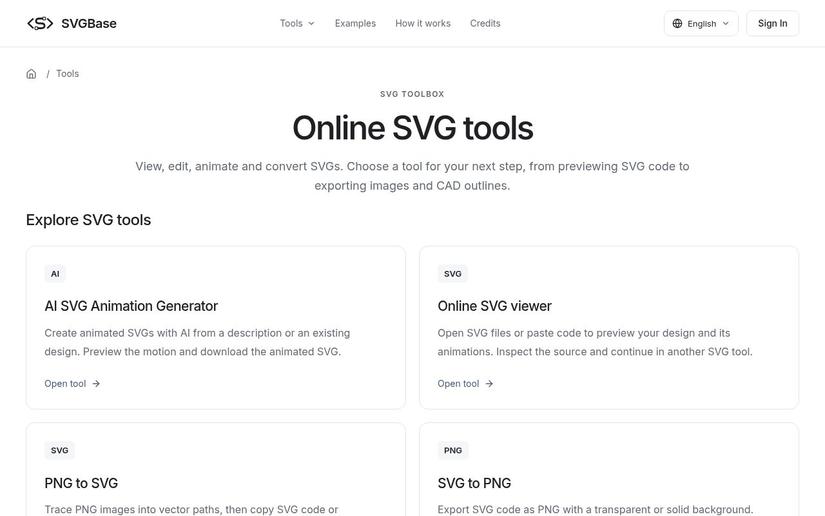
I keep one bookmark for these jobs: the SVGBase utilities index. It groups a viewer and code editor, converters to PNG, JPG, WebP, PDF, DXF and STL, PNG-to-SVG tracing and a code-to-file saver. The converters run in the browser without an account or credits. There's also an AI part (generating, editing and animating SVGs), which uses credits; I use that only when I need a new asset, not for routine conversion.
A few rules that keep the repo clean
- One SVG master per asset; exports are disposable.
- Name exports with their size and use:
logo-512.png. - Optimize SVGs before committing, but keep a readable copy if someone will edit it later.
- Document which icons use
currentColorso nobody "fixes" them by hard-coding colors.
None of this is complicated. The point is to make SVG chores take seconds, so they don't pile up in the backlog.
All rights reserved